Loading
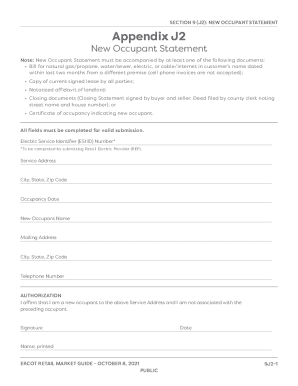
Get Current Retail Market Guide - Ercot.com
How it works
-

Open form follow the instructions
-

Easily sign the form with your finger
-

Send filled & signed form or save
How to fill out the Current Retail Market Guide - ERCOT.com online
Filling out the Current Retail Market Guide online can be a straightforward process when guided step-by-step. This guide will help you navigate the necessary sections and components of the New Occupant Statement, ensuring you have all the required information to submit successfully.
Follow the steps to complete the New Occupant Statement
- Click ‘Get Form’ button to access the New Occupant Statement and display it in the editing tool.
- Begin filling out the form by entering your Electric Service Identifier (ESI ID) Number. This number must be provided by the submitting Retail Electric Provider (REP).
- Input the service address where you will be residing, making sure to include details like the street address, city, state, and zip code.
- Indicate the occupancy date, which is the date you plan to move into the property.
- Fill in your name as the new occupant in the designated field.
- Provide your mailing address, ensuring it is correctly filled out with city, state, and zip code.
- Enter your telephone number for contact purposes.
- In the authorization section, affirm that you are a new occupant and not associated with the previous occupant by signing your name and entering the date.
- Print your name in the space provided below your signature.
- Once all fields are completed, review the information for accuracy. You can then save your changes, download the document, print it, or share it as needed.
Start filling out the Current Retail Market Guide online today to ensure your new occupancy is documented correctly.
The Peaker Net Margin (PNM) threshold is calculated as three times the Cost of New Entry (CONE) for a reference generation resource plant .