Loading
Get Pr Op-msj-10 2015-2026
How it works
-

Open form follow the instructions
-

Easily sign the form with your finger
-

Send filled & signed form or save
How to fill out the PR OP-MSJ-10 online
The PR OP-MSJ-10 form is essential for submitting requests concerning regulatory compliance in Puerto Rico. This guide will walk you through each section of the form to ensure accurate completion and submission.
Follow the steps to effectively complete the PR OP-MSJ-10 form.
- Click 'Get Form' button to obtain the form and open it in the editor.
- Enter the request number in the designated field at the top of the form. This is crucial for tracking your submission.
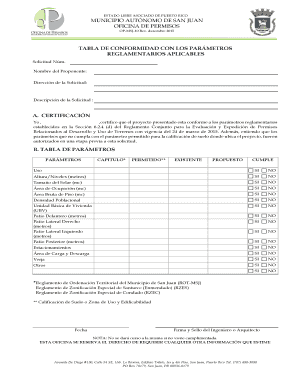
- Fill in your name in the 'Nombre del Proponente' section. This identifies the individual or organization making the request.
- Provide the address associated with the request in the 'Dirección de la Solicitud' section. This should be the location where the project is taking place.
- In the 'Descripción de la Solicitud' section, provide a clear and concise description of the project. This should summarize the purpose and scope of your request.
- For section A, 'Certificación', you need to validate that the project meets the regulatory parameters. Sign and date this certification once completed.
- Proceed to the 'Tabla de Parámetros' section, where you will assess various project parameters like usage, height, lot size, and more. Indicate whether each parameter is 'Permitted', 'Existing', and 'Proposed' by checking 'Yes' or 'No' accordingly.
- Complete the required fields by verifying compliance for each parameter. This ensures all aspects of the project are documented correctly.
- Finally, ensure the 'Fecha', 'Firma y Sello del Ingeniero o Arquitecto' is completed. An authorized signature is necessary to validate the request.
- After completing all sections, you can save changes, download, print, or share the form as needed.
Complete your PR OP-MSJ-10 form online today to ensure swift processing of your request.