Loading
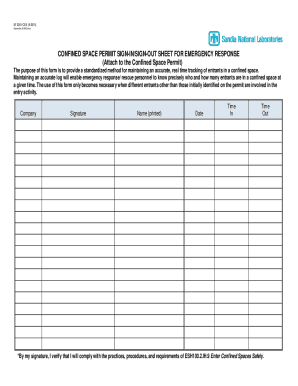
Get Sf 2001-css; Confined Space Permit Sign-in/sign-out Sheet For Emergency Response;
How it works
-

Open form follow the instructions
-

Easily sign the form with your finger
-

Send filled & signed form or save
How to fill out the SF 2001-CSS; Confined Space Permit Sign-in/Sign-out Sheet For Emergency Response; online
The SF 2001-CSS is an essential tool designed for tracking individuals entering confined spaces during emergency responses. This guide will provide clear, step-by-step instructions to help you fill out this form effectively online.
Follow the steps to complete the confined space permit sign-in/sign-out sheet online.
- Click the ‘Get Form’ button to access the form and open it in your browser.
- Enter the name of your company in the designated field. Ensure that the name is accurate to facilitate proper record-keeping.
- In the signature section, provide your signature to certify that you will adhere to the practices and procedures outlined for entering confined spaces.
- Print your name clearly in the designated area to ensure clarity and legibility.
- Fill in the date of entry in the appropriate field. Ensure the format is correct for accurate record maintenance.
- Log the time of entry in the 'Time In' field. This is crucial for maintaining a real-time tracking system.
- When exiting, record the 'Time Out' to finalize your log entry. This will provide complete information for emergency response personnel.
- Review all entries to ensure they are accurate and complete. This will help maintain the integrity of your log.
- After verifying your entries, save the changes, and download or print the form if necessary. You may also share the completed document as needed.
Ensure safety and compliance by completing the SF 2001-CSS online today.
An example of a permit required confined space is a sewer entry. The employees could be exposed to toxic or flammable gases (a hazardous atmosphere), engulfment, and oxygen deficiency (serious health hazard). Proper procedures must take place before the entry.