Loading
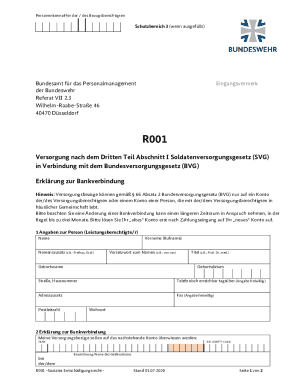
Get De Bundesamt Fur Das Personalmanagement R001 2020-2026
How it works
-

Open form follow the instructions
-

Easily sign the form with your finger
-

Send filled & signed form or save
How to fill out the DE Bundesamt Fur Das Personalmanagement R001 online
This guide will provide you with clear and comprehensive instructions for filling out the DE Bundesamt Fur Das Personalmanagement R001 form online. Follow the steps carefully to ensure that all required information is accurately submitted.
Follow the steps to complete the form efficiently.
- Click the ‘Get Form’ button to access the online version of the DE Bundesamt Fur Das Personalmanagement R001 form.
- Begin by entering the personal information in Section 1. Input your name, first name, any title or prefix, birth name, date of birth, address including street and number, and optional contact information such as your phone number and fax.
- In Section 2, provide your bank details for the transfer of benefits. Enter the IBAN, BIC (SWIFT code), and the name of your banking institution.
- If the account holder differs from the person receiving benefits, complete Section 3 with the account holder’s information, including name, titles, birth name, and date of birth.
- In Section 4, read the commitment statement regarding any changes affecting payments. You must sign this section to confirm your obligations regarding the benefits.
- Complete Section 5 if applicable, affirming the shared household with the person receiving benefits and providing a signature. This section also contains a commitment to reimburse any overpayments.
- Attach any required documents, such as the proof of residence stated in Section 6. Be sure to check the box indicating that the document is included.
- Review all filled sections for accuracy before final submission. Once satisfied, you may save changes, download the document, print it, or share it accordingly.
Take the next step by completing your documents online today.