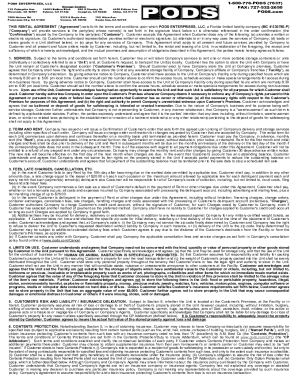
PODS ENTERPRISES, LLC 710 Palmyrita Ave. Riverside, CA 92507Storage Centers 14093 Balboa Blvd. 200 E Stanley St. Sylmar, CA 91342 Compton, CA 902207900 Nelson Rd. Panorama City, CA 914025370 S Boyle.

How it works
  • Open form

    Open form follow the instructions

  • Easily sign form

    Easily sign the form with your finger

  • Share form

    Send filled & signed form or save

How to fill out the PODS Rental Agreement online

Filling out the PODS Rental Agreement online is an essential step in securing your portable storage unit services. This guide will provide comprehensive instructions to ensure you complete the form accurately and efficiently.

Follow the steps to complete your PODS Rental Agreement online.

  1. Click 'Get Form' button to access the PODS Rental Agreement and open it in the online editor.
  2. Begin by entering your personal information in the designated fields. This includes your full name, contact information, and address. Ensure that all data is correct to avoid any delays.
  3. In the signature block, indicate the Customer's name. This may be the individual or entities renting the unit. Make sure this section matches the order confirmation.
  4. Complete the services section by specifying the type and number of portable storage units you wish to rent. Indicate whether you would like the units delivered to your location or stored at a PODS facility.
  5. Review the rental term and fee structure. You will need to acknowledge your acceptance of the fees as specified in your order confirmation.
  6. Read the terms and conditions outlined in the agreement carefully. Acknowledge that you understand the responsibilities regarding the use and storage of the unit. This is important for compliance.
  7. Fill in the information required for the lien section. If applicable, you should provide an alternative contact for notices regarding the lien.
  8. After reviewing all sections of the agreement, you can sign the document electronically. Ensure that the signature is valid and matches the name provided.
  9. Once the form is completed, save your changes. You may have options to download, print, or share the completed agreement.

Complete your PODS Rental Agreement online today to ensure a smooth storage solution.

Get form

Experience a faster way to fill out and sign forms on the web. Access the most extensive library of templates available.

Related content

e10ksb

We offer warehouse storage for the consumer who wishes to rent a POD unit, pack it, ... We...

Learn more
FAQs - Long Beach City College

Multimedia/Audiovisual: How do I coordinate A/V equipment rentals for my event?...

Learn more
22 Taking Care of Your Controller and Pod

This Limited Express Warranty covers only the original purchaser and cannot be transferred...

Learn more
Questions & Answers

Get answers to your most pressing questions about US Legal Forms API.

Contact support

Can you cancel pods?

Please call (800) 776-PODS to cancel your order. Visit pods.com/cancel to view our full cancellation policy. How long do I have to load or unload the container? PODS offers monthly rentals so you to pack and unload at your own pace.

Welcome to the website of PODS ENTERPRISES, LLC ("PODS", "we" or "us").

Once you've enabled live tracking for customers in your Track-POD settings, they will be able to follow the delivery progress in real time. By clicking on the live tracking link, a new window opens in the mobile web browser of choice. There, the customer can see a map with the driver's real-time location.

A document required from the carrier or driver for proper payment. POD includes the time of delivery, full delivery address, and the name and signature of the person who accepted the shipment.

How do I track or view my order? Upon Shipment, you will receive an email notification which will include your order's Tracking numbers and a Link to tracking information on FedEx's website. You can also keep track of you order's status, from processing through delivery, by visiting My Account.

POD stands for: 1. Port of Discharge: is a place where a vessel discharges or unloads some or all of its shipments. 2. Proof of Delivery: is a document signed by the recipient to confirm the delivery of goods in a good condition.

Track-POD app does everything you need for delivery confirmation: captures geotags & timestamps, takes photos, grabs clients' signatures, directs you to destination. The ePOD mobile app is simple to run for new users. Track-POD works offline and synchronizes data when a connection is restored.

Get This Form Now!

Use professional pre-built templates to fill in and sign documents online faster. Get access to thousands of forms.

If you believe that this page should be taken down, please follow our DMCA take down process here.

Get PODS Rental Agreement