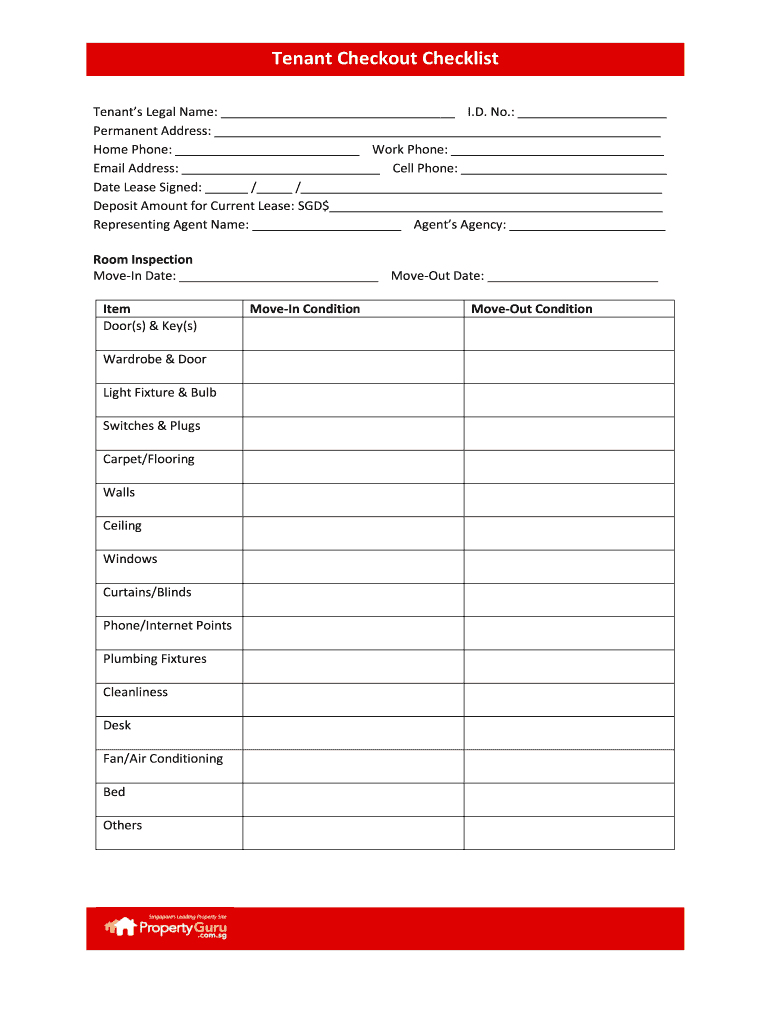
Tenant Checkout Checklist Tenants Legal Name: I.D. No.: Permanent Address.
Loading

Open form follow the instructions

Easily sign the form with your finger

Send filled & signed form or save
How to fill out the SG PropertyGuru Tenant Checkout Checklist online
The SG PropertyGuru Tenant Checkout Checklist is an essential document for tenants completing their move-out process. This guide provides a step-by-step approach to accurately filling out the checklist online, ensuring a smooth transition for all users.
Follow the steps to complete the tenant checkout checklist online.
- Click ‘Get Form’ button to access the checklist and open it in your editing tool.
- Begin by entering your tenant's legal name, identification number, and permanent address in the designated fields.
- Fill in your contact details, including home phone, work phone, email address, and cell phone, ensuring accuracy for future communication.
- Indicate the date the lease was signed and the deposit amount for the current lease.
- Provide details about your representing agent, including their name and agency, if applicable.
- In the room inspection section, fill out the move-in and move-out dates.
- For the items listed, assess each item’s condition and provide accurate descriptions for door(s) & key(s), wardrobe & door, light fixture & bulb, and more.
- In the move-in condition and move-out condition sections, provide detailed notes about the state of the property at both times.
- Once all fields are filled out, review the document for completeness and accuracy.
- Save your changes, and choose to download, print, or share the completed form as needed.
Start completing your SG PropertyGuru Tenant Checkout Checklist online today!
Experience a faster way to fill out and sign forms on the web. Access the most extensive library of templates available.
Related content
Our consolidated financial statements are presented in Singapore Dollars, which is the...
Oct 27, 2019 — We have published this guide in the hope that it will be useful in...
A helpful form for agents and sellers to provide to appraisers ... Property Agents in...
Get answers to your most pressing questions about US Legal Forms API.
How long does a contractor have to file a lien in Tennessee?
All prime and remote contractors must file their Notice of Lien within 30 days of your Notice of Completion, or their liens are extinguished. Tenn. Code Ann. § 66-11-143(e)(2)(B).
How long do you have to file a lien in Tennessee?
File A Lien Notice of Non-Payment must be provided to the owner within 90 days of last day of the month labor and materials provided. For example, if labor was provided on April 3, then notice is provided 90 days from April 30. Separate notices are required for each month unpaid services or materials are provided.
How do I enforce a lien in Tennessee?
File A Lien Parties with a direct contract with the property owner must initiate a lawsuit to enforce a mechanics lien within 1 year after the completion of the work. Parties without a direct contract with the property owner must initiate an action to enforce their lien within 90 days of the lien's filing.
How do I file a notice of completion in Tennessee?
Project owners that wish to file a notice of completion must do so with the office of the register of deeds of the county in which the project is located. This is the same office at which the contractor would file their mechanics lien.
Is a Notice of Commencement required in Tennessee?
Commencement notice (Private): No. Completion notice (Private): Optional.
What is notice commencement?
What Is a Notice of Commencement? A Notice of Commencement is a document that establishes the formal start date of a construction project and identifies the project stakeholders, such as the property owner, lender, and general contractor.
Is a notice of completion required in Tennessee?
In Tennessee, project owners (or their appointed agents) must simultaneously record and serve a notice of completion for it to be effective.
How many notices is a contractor required to give before it can file a valid lien on a commercial construction project in Arkansas?
Two notices are required in Subsections 114 and 115(b) of the ACA. First, subcontractors and material suppliers must send a notice to the owner 10 days prior to filing a lien, and this notice must state the amount owed and the person who owes the amount (Subsection 114).
How do you put a lien on a property in Tennessee?
Lien Notation Send the completed form. Include all necessary support documentation. ... Include all fees. Lien notation fee: $11 per lien. County clerk fee: $8.50. State title fee: $5.50. Additional county fees may also apply. ... Information should be submitted to your local county clerk's office.
Use professional pre-built templates to fill in and sign documents online faster. Get access to thousands of forms.
If you believe that this page should be taken down, please follow our DMCA take down process here.