Loading
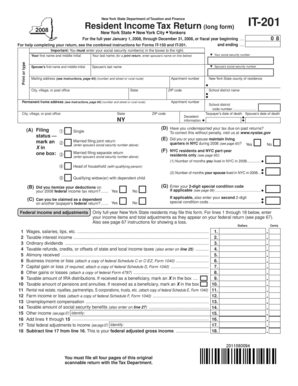
Get Ny It-201 2008-2026
How it works
-

Open form follow the instructions
-

Easily sign the form with your finger
-

Send filled & signed form or save
How to fill out the NY IT-201 online
Filling out the NY IT-201 form online can simplify your tax preparation process. This guide provides detailed instructions for navigating each section of the form, ensuring that users of all experience levels can complete their Resident Income Tax Return accurately.
Follow the steps to complete your NY IT-201 form online.
- Press the ‘Get Form’ button to access the NY IT-201 form and open it for editing.
- Enter your name and social security number in the specified fields at the top of the form. For a joint return, also include your spouse’s information.
- Provide your mailing address and permanent home address, making sure to fill in all necessary fields including city, state, and ZIP code.
- Indicate your filing status by marking the appropriate box. Options include single, married filing jointly, married filing separately, head of household, and qualifying widow(er) with dependent child.
- Answer questions regarding past reports and deductions, including whether you itemized deductions on your federal return and if you can be claimed as a dependent.
- Input your federal income and adjustments by entering the information as it appears on your federal return. This includes wages, interest income, and other relevant income items.
- Calculate your New York additions and subtractions by completing the relevant sections, then determine your New York adjusted gross income.
- Choose between standard deduction and itemized deduction. Input the corresponding amount based on your circumstances.
- Calculate your taxable income by subtracting exemptions from your adjusted gross income.
- Determine your tax owed by following the computation guidelines laid out in the form.
- Complete details for credits and taxes specific to New York City and Yonkers residents if applicable.
- Sum up all taxes and payments to find out your total liability, refund, or balance owed.
- Review the entire form for accuracy before saving your changes, downloading, printing, or sharing the completed form.
Complete your New York IT-201 form online for a streamlined tax filing experience.
Accordingly, the guardian may not purchase the ward's property for sale which is under his guardianship. The reason for such prohibition is that, public policy prohibits the transactions in view of the fiduciary relationship involved. The sales entered into in disregard of the prohibition are not however void.