Loading
Get Ca Cec-nrci-lti-01-e 2020
How it works
-

Open form follow the instructions
-

Easily sign the form with your finger
-

Send filled & signed form or save
How to fill out the CA CEC-NRCI-LTI-01-E online
Filling out the CA CEC-NRCI-LTI-01-E form is essential for compliance with California's energy efficiency standards. This guide provides step-by-step instructions to help you effectively complete the online form, ensuring accuracy and completeness.
Follow the steps to successfully fill out the CA CEC-NRCI-LTI-01-E form.
- Click the ‘Get Form’ button to obtain the form and open it in your preferred editor. This will provide you with access to the CA CEC-NRCI-LTI-01-E document.
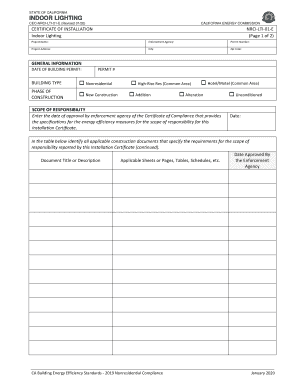
- Begin filling out the form by inputting the project name, enforcement agency, and permit number. Ensure that all details are accurate and match the relevant documentation.
- Enter the project address, city, and zip code. These details are crucial for identifying the location of the project.
- Fill in the date of the building permit and the permit number. This information provides context for the construction timeline.
- Select the building type by checking the appropriate box for nonresidential, high-rise residential common area, or hotel/motel common area.
- Indicate the phase of construction by selecting one of the options: new construction, addition, alteration, or unconditioned.
- In the section for scope of responsibility, enter the date of approval by the enforcement agency for the Certificate of Compliance. This date confirms adherence to specified energy efficiency measures.
- List all applicable construction documents in the provided table, including their titles, relevant sheets or pages, and approval dates by the enforcement agency.
- Complete the documentation author's declaration statement by filling in the author's name, signature, company name, date signed, address, certification identification (if applicable), city/state/zip, and phone number.
- Fill out the responsible person's declaration statement, providing the name and signature of the responsible builder/installer, company name, their position, address, CSLB license, city/state/zip, phone number, and date signed.
- After completing all sections, save your changes. You can also download, print, or share the form as needed to ensure compliance with California regulations.
Complete your paperwork online to ensure compliance and efficiency in your project.
Get form
Experience a faster way to fill out and sign forms on the web. Access the most extensive library of templates available.
Get This Form Now!
Use professional pre-built templates to fill in and sign documents online faster. Get access to thousands of forms.