Loading
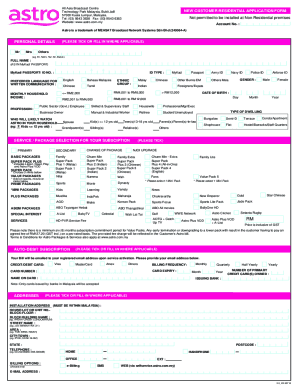
Get My Astro New Customer Residential Application Form 2016-2026
How it works
-

Open form follow the instructions
-

Easily sign the form with your finger
-

Send filled & signed form or save
How to fill out the MY Astro New Customer Residential Application Form online
This guide provides a clear, step-by-step approach to completing the MY Astro New Customer Residential Application Form online. Designed for ease of use, it ensures that all necessary information is accurately filled out to facilitate a seamless application process.
Follow the steps to successfully complete the application form.
- Click the ‘Get Form’ button to obtain the application form and access it in the editor.
- Fill in the personal details section. This includes selecting the correct title (Mr, Mrs, Others), entering your full name as per your identification document, and your identification number. Be sure to provide a valid email address for communication purposes.
- Provide your preferred language for written communication. You can choose from options including English, Bahasa Malaysia, Chinese, Tamil, and Malay.
- Enter your household income and profession. This section helps in assessing your subscription options and financial background.
- Select your ethnic group as required. This section may have options relevant to your demographic representation.
- Choose the service/package you wish to subscribe to. Options may vary, and it’s important to review these carefully before selection.
- Include your billing details. Provide credit/debit card information, including card type, card number, name on the card, and expiration date. Choose your billing frequency (monthly, quarterly, etc.) and ensure you provide the necessary authorizations for auto-debit if required.
- Fill in the installation address where the service will be set up. This is vital for scheduling your installation appointment.
- Provide alternative contact details for someone who may assist in case you are unavailable during the installation or for communications regarding the service.
- Review all entered information for accuracy before submission. This ensures all data is correct and minimizing delays.
- Lastly, save changes, download the form if needed, and perform any final adjustments before submitting the application form online.
Complete your MY Astro New Customer Residential Application Form online today for a hassle-free experience.
Ensure you have authenticated the identity of your client. Make sure the form is signed by all parties either electronically or with an ink signature.