Loading
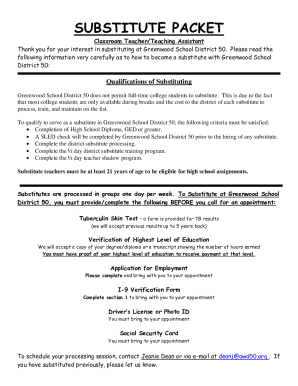
Get Sc Greenwood School District 50 Substitute Packet 2008
How it works
-

Open form follow the instructions
-

Easily sign the form with your finger
-

Send filled & signed form or save
How to fill out the SC Greenwood School District 50 Substitute Packet online
This guide offers clear, step-by-step instructions for completing the SC Greenwood School District 50 Substitute Packet online. Whether you are a first-time applicant or renewing your status, this comprehensive guide ensures that you provide all the necessary information accurately.
Follow the steps to complete the substitute packet effectively.
- Click the ‘Get Form’ button to access the SC Greenwood School District 50 Substitute Packet. This will open the form for you to fill out in the editor.
- Provide your full name in the designated fields for last name, first name, and middle initial. Ensure that the names are capitalized correctly.
- Enter your current address, including street, city, state, and zip code. Double-check for accuracy to ensure proper correspondence.
- Fill out your contact information including your telephone number and email address. This is crucial for communication regarding your application.
- In the section regarding qualifications, confirm your eligibility to work in the United States. Select ‘Yes’ or ‘No’ as applicable.
- Complete the demographic information for Equal Employment Opportunity Commission (EEOC) purposes. This includes your race and date of birth.
- Fill out the questions about your relationship to any member of the Board of Trustees and any convictions if applicable. Remember that a ‘Yes’ answer does not disqualify you.
- Indicate the position you are applying for by checking the relevant box. Include any current positions you hold and your present annual salary if applicable.
- Provide details of your educational background. Complete the fields for the name and location of institutions, academic major, dates attended, and degrees received.
- List your previous employment history, including employer name, dates of employment, and job descriptions. This information should be added in descending order with the most recent job first.
- Complete the references section by listing individuals other than relatives who can attest to your work history or character.
- Sign and date the application to certify that the information you provided is accurate. This step is necessary for processing your application.
- Review the entire document for any errors before finalizing your submission. Save any changes made and prepare to download or print the completed form.
Begin your application process by completing the SC Greenwood School District 50 Substitute Packet online today.
Get form
Experience a faster way to fill out and sign forms on the web. Access the most extensive library of templates available.
Related links form
Get This Form Now!
Use professional pre-built templates to fill in and sign documents online faster. Get access to thousands of forms.