Loading
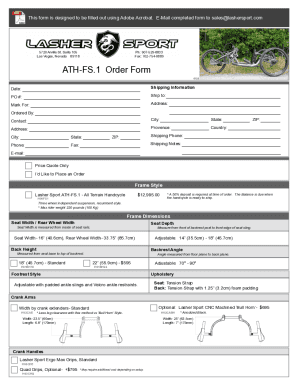
Get Nv Lasher Sport Ath-fs.1 2022-2026
How it works
-

Open form follow the instructions
-

Easily sign the form with your finger
-

Send filled & signed form or save
How to fill out the NV Lasher Sport ATH-FS.1 online
Filling out the NV Lasher Sport ATH-FS.1 form online can be straightforward with clear guidance. This guide provides step-by-step instructions to help you complete the form correctly and efficiently.
Follow the steps to fill out the form with ease.
- Click the ‘Get Form’ button to access the form and open it in your preferred editor.
- Enter the date of the order in the designated date field. This helps document when the order was initiated.
- Fill in the shipping information, including the Purchase Order (PO) number, and the full name of the person or organization to 'Ship to'.
- Provide a complete address, including city, state, province, country, and ZIP code for both the shipping and the person who ordered.
- In the 'Ordered By' section, fill in your full name and contact details including phone and fax numbers.
- Choose the desired frame style for the handcycle and note the corresponding pricing, ensuring you check any optional features.
- Complete the sections regarding frame dimensions, seat dimensions, and the options selected for your handcycle’s customization.
- In the power options section, indicate if you would like to add an optional power system and select the appropriate battery capacity if applicable.
- Once all fields are completed, review the entire form for accuracy. Ensure that all necessary selections, especially regarding color options, and customizations are made.
- After confirming that all information is correct, save your changes or download the completed form. You can then print it or share it as needed.
Get started on completing the NV Lasher Sport ATH-FS.1 form online today!