Loading
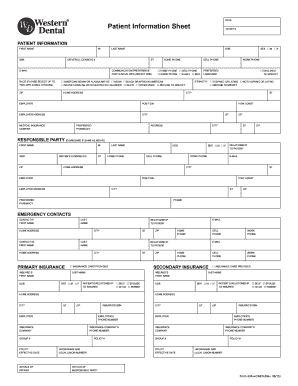
Get Patient Information Sheet - Western Dental
How it works
-

Open form follow the instructions
-

Easily sign the form with your finger
-

Send filled & signed form or save
How to fill out the Patient Information Sheet - Western Dental online
Completing the Patient Information Sheet for Western Dental is an essential step to ensure accurate and efficient processing of your dental care. This guide provides you with clear, step-by-step instructions to easily fill out the form online, catering to your needs and preferences.
Follow the steps to fill out the Patient Information Sheet online.
- Click 'Get Form' button to obtain the form and open it in the editor.
- Begin by entering your first name, middle initial, last name, and date of birth in the designated fields. Make sure the information is accurate as it will be used for your dental records.
- Provide your social security number, driver's license or ID number, and email address. Ensure that all personal identifiers are correctly entered to avoid issues later.
- Indicate your communication preference for receiving clinical information. You can choose options such as home phone, cell phone, work phone, email, or mail.
- Fill out your complete home address, including street, city, state, and ZIP code. This helps in verifying your identity and sending relevant correspondence.
- Next, enter your employer details, including name, position, and address. This information may be relevant to insurance or billing matters.
- Choose your medical insurance carrier and provide your insurance details, including your member ID and group number, if applicable.
- Complete the section for preferred language and ethnicity by selecting the appropriate options.
- Add details of two emergency contacts, including their names, relationship to you, and contact information. This information is crucial in case of an emergency during your visit.
- If you are filling out the form on behalf of someone else, provide their information in the 'Responsible Party' section. Make sure to indicate the relationship to the patient.
- Review all the entered information for accuracy. After ensuring that every section is filled correctly, proceed to save the changes.
- Finally, you will have the option to download, print, or share the completed form. Choose the most convenient option for your needs.
Complete the Patient Information Sheet online to ensure smooth processing of your dental care.
Get form
Experience a faster way to fill out and sign forms on the web. Access the most extensive library of templates available.
Composite Resin Fillings It is used for fillings, inlays, veneers, partial and complete crowns, or to repair portions of broken teeth.
Get This Form Now!
Use professional pre-built templates to fill in and sign documents online faster. Get access to thousands of forms.