Loading
Get Service Bulletin Template
How it works
-

Open form follow the instructions
-

Easily sign the form with your finger
-

Send filled & signed form or save
How to fill out the Service Bulletin Template online
Filling out the Service Bulletin Template is a straightforward process that helps ensure you provide all necessary information related to the pressure relief feature on the CNG050 sensors. This guide will walk you through each section of the form to facilitate your online completion.
Follow the steps to complete the Service Bulletin Template online
- Click ‘Get Form’ button to access the Service Bulletin Template and open it in your preferred online editor.
- In the 'Subject' field, accurately describe the main focus of the bulletin, which in this case relates to the pressure relief feature on model CNG050 sensors.
- In the 'Overview' section, provide a brief explanation of the purpose of the Service Bulletin, specifically mentioning the pressure relief feature added to the CNG050 sensor in 2006.
- For the 'Products Affected' section, clearly list the affected models, ensuring to specify the model CNG050 Coriolis Flowmeters.
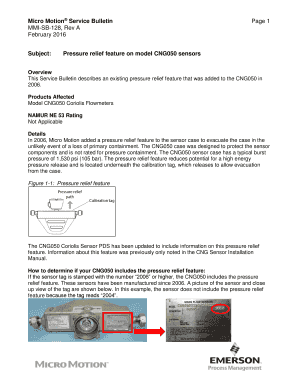
- In the 'Details' section, include comprehensive information about the pressure relief feature and its significance in preserving sensor integrity under unusual circumstances. Highlight the location of the feature in relation to the calibration tag.
- Provide instructions on how users can verify if their CNG050 sensor includes the pressure relief feature, by checking if the sensor tag is marked with '2006' or any higher number.
- In the 'Contact Information' section, ensure you list appropriate contact details, including customer service phone numbers for various regions, as well as product information sources.
- Finally, review all sections for clarity and completeness before saving your changes. You can then download, print, or share the completed Service Bulletin Template as needed.
Ensure you complete the Service Bulletin Template online for accurate documentation and communication.
Related links form
To locate, view, and download individual bulletins, search the SAIB database in the FAA Regulatory and Guidance Library. For more information on SAIBs, contact the Delegation Procedures Branch .
Industry-leading security and compliance
US Legal Forms protects your data by complying with industry-specific security standards.
-
In businnes since 199725+ years providing professional legal documents.
-
Accredited businessGuarantees that a business meets BBB accreditation standards in the US and Canada.
-
Secured by BraintreeValidated Level 1 PCI DSS compliant payment gateway that accepts most major credit and debit card brands from across the globe.