Loading
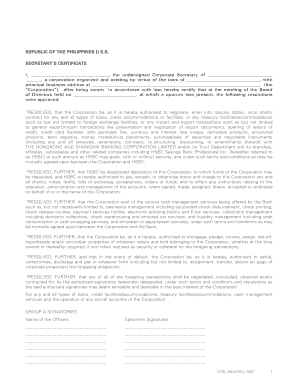
Get Secretary Certificate
How it works
-

Open form follow the instructions
-

Easily sign the form with your finger
-

Send filled & signed form or save
How to fill out the Secretary Certificate online
The Secretary Certificate is a vital document used to certify resolutions passed by the board of directors of a corporation. This guide provides clear, step-by-step instructions on how to fill out this form online, ensuring you have all the necessary information at hand to complete it accurately.
Follow the steps to ensure a complete and accurate submission.
- Click 'Get Form' button to access the Secretary Certificate and open it in your preferred editor.
- Begin by filling in your name as the Corporate Secretary in the designated space. This represents your personal acknowledgment of the document.
- Next, enter the full name of the corporation in the appropriate field, ensuring correct spelling to maintain the authenticity of the document.
- Fill in the jurisdiction under which the corporation was organized, typically the state or region where it operates.
- Provide the principal business address of the corporation, ensuring that this is the current address where the corporation conducts its primary operations.
- Indicate the date of the meeting of the Board of Directors for which this certificate is being issued, ensuring that it aligns with your organizational records.
- Fill in the resolutions approved at the meeting. Each resolution should clearly outline the authority granted to the corporation regarding loans, credit accommodations, and any other agreements with specified banks or institutions.
- List the Group A and Group B signatories along with their specimen signatures in the designated areas to specify who is authorized to engage in transactions on behalf of the corporation.
- In the section regarding financial limits and approvals, provide the amounts for which Group A and Group B signatories may authorize combined transactions.
- At the end of the document, sign and date the certificate, affirming that the resolutions contained within have not been altered and remain effective.
- Finally, review the completed document for accuracy and completeness, making any necessary adjustments. You may then save changes, download, print, or share the form as required.
Take the next step in your document management by completing and submitting the Secretary Certificate online today.
A1 A “Secretary's Certificate” is a document that is signed and sealed by the Secretary of the Corporation that. states that the Board of Directors has voted to delegate authority to a specific individual or group and whether they have the right to further delegate that authority.
Industry-leading security and compliance
US Legal Forms protects your data by complying with industry-specific security standards.
-
In businnes since 199725+ years providing professional legal documents.
-
Accredited businessGuarantees that a business meets BBB accreditation standards in the US and Canada.
-
Secured by BraintreeValidated Level 1 PCI DSS compliant payment gateway that accepts most major credit and debit card brands from across the globe.