Loading
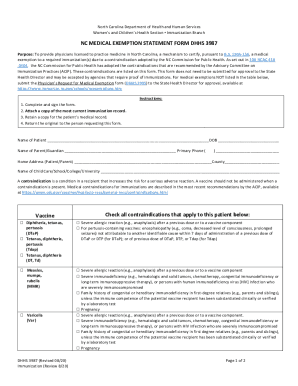
Get Nc Dhhs 3987 2020-2026
How it works
-

Open form follow the instructions
-

Easily sign the form with your finger
-

Send filled & signed form or save
How to fill out the NC DHHS 3987 online
Filling out the NC DHHS 3987 form is crucial for certifying a medical exemption for immunizations in North Carolina. This guide provides step-by-step instructions to help you complete the form accurately and efficiently.
Follow the steps to fill out the NC DHHS 3987 form online.
- Click ‘Get Form’ button to obtain the form and open it in the editor.
- Begin by entering the Name of Patient and Date of Birth (DOB) at the top of the form. Ensure that all names and dates are accurate and legible.
- Next, provide the Name of Parent or Guardian along with their Primary Phone number. This information is essential for any follow-up communication.
- Fill in the Home Address for the Patient or Parent, including the County. This helps identify the area of residence associated with the medical exemption.
- Indicate the Name of the Child Care, School, College, or University that the patient is affiliated with. This ensures proper context for the exemption.
- Review the contraindications listed in the form. For each vaccine, check all contraindications that apply to the patient. Make sure to accurately highlight any significant medical history.
- Complete the section that requires the physician's information. A licensed physician in North Carolina must provide their name, contact number, and address.
- Have the physician sign and date the form to validate the exemption. This step is essential for the acceptance of the form.
- Ensure that you attach a copy of the most current immunization record to the form before submission.
- Finally, retain a copy of the completed form for your records and return the original to the individual or agency requesting the documentation.
Complete your documents online to ensure timely submission and compliance.