Loading
Get Au Form F3006 2019-2026
How it works
-

Open form follow the instructions
-

Easily sign the form with your finger
-

Send filled & signed form or save
How to fill out the AU Form F3006 online
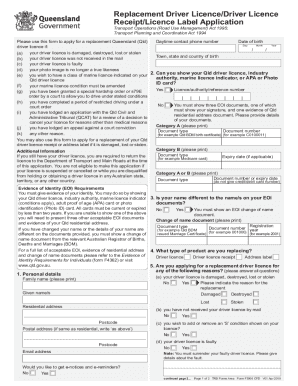
Filling out the AU Form F3006 online is a straightforward process designed to assist users in applying for a replacement Queensland driver licence, receipt, or licence label. This guide provides clear, step-by-step instructions to ensure you complete the form accurately and efficiently.
Follow the steps to complete the AU Form F3006 online.
- Click ‘Get Form’ button to obtain the form and open it for editing.
- Begin with entering your personal details, including your family name, given names, and residential address. Ensure all information is accurate.
- Indicate the type of product you are replacing: driver licence, driver licence receipt, or address label. Select the appropriate option.
- Specify the reason for your replacement request by answering the relevant questions regarding the condition of your current licence, whether it is damaged, lost, or otherwise.
- Provide evidence of identity (EOI) documents. You need to supply three EOI documents, ensuring one shows your signature and another confirms your residential address.
- If applicable, answer whether your name differs from the name(s) on your EOI documents. If it does, you will need to supply a change of name document.
- Complete the applicant's declaration by confirming that all information provided is true and correct. Ensure you have the necessary consent statements checked.
- Review all entries for accuracy before saving your form. You can then save changes, download a copy, print the form, or share it according to your requirements.
Complete your application for a replacement driver licence online today to ensure a smooth process.