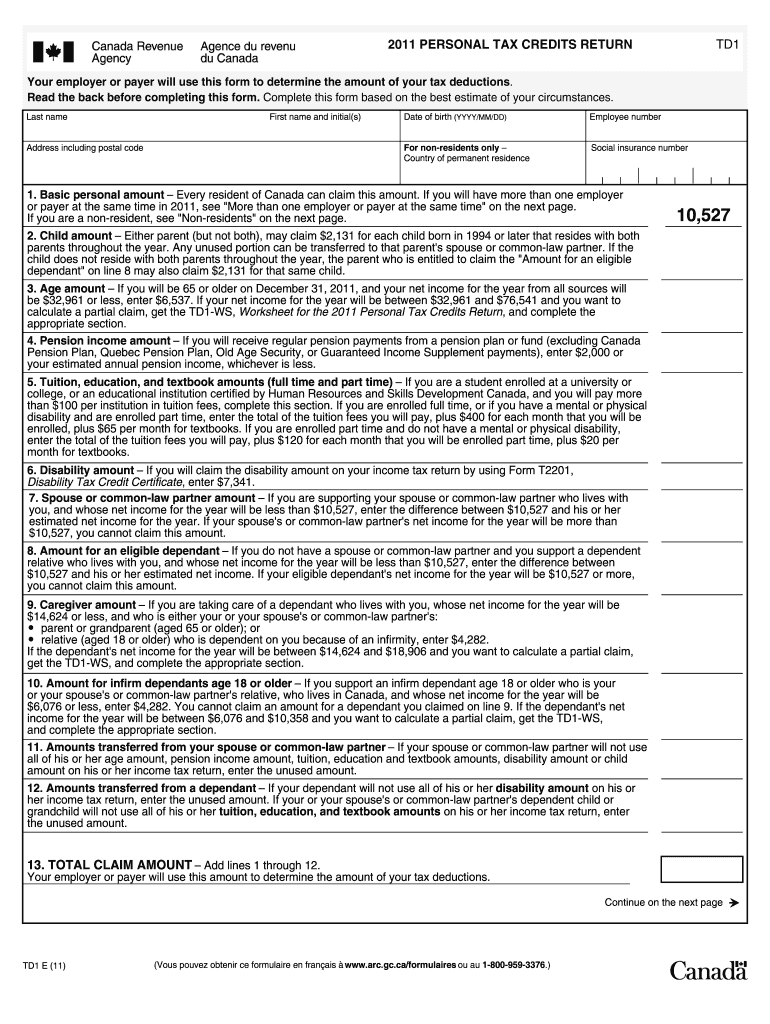
TD1 2011 PERSONAL TAX CREDITS RETURN Your employer or payer will use this form to determine the amount of your tax deductions. Read the back before completing this form. Complete this form based on.
Loading

Open form follow the instructions

Easily sign the form with your finger

Send filled & signed form or save
How to fill out the Canada TD1 E online
The Canada TD1 E form is essential for employees and pensioners to declare their personal tax credits and determine the appropriate amount of tax deductions by their employer or payer. This guide provides clear, step-by-step instructions for filling out the form online, ensuring you accurately complete it based on your individual circumstances.
Follow the steps to accurately complete your Canada TD1 E form
- Click the ‘Get Form’ button to access the Canada TD1 E and open it in your preferred editor.
- Enter your last name and first name with initial(s) at the top of the form. Make sure to provide your current address, including the postal code.
- Fill in your date of birth using the format YYYY/MM/DD, as well as your employee number, if applicable.
- For non-residents, indicate your country of permanent residence and provide your social insurance number.
- Proceed to claim your basic personal amount, which every resident can claim. If you have multiple employers, review the instructions to avoid duplicating claims.
- Continue filling out the remaining sections related to child amounts, age amounts, pension income amounts, and other relevant deductions. Each section includes specific eligibility criteria and claim amounts.
- Ensure that you accurately total your claims in the TOTAL CLAIM AMOUNT section at the end of the form.
- Review the certification section, sign, and date the form, confirming the information is correct.
- Once all sections are complete, save your changes. You may also download, print, or share the completed form with your employer.
Complete your Canada TD1 E form online today to ensure proper tax deductions.
Experience a faster way to fill out and sign forms on the web. Access the most extensive library of templates available.
Related content
Feb 24, 2021 — The TN nonimmigrant classification permits qualified Canadian and Mexican...
by C Bold · 1995 — full access American Studies Dissertations in Canada: In Progress...
Canada. LINAK Canada Inc. Phone: +1 502 253 5595. Fax: +1 416-255-7720. E-mail:...
Use professional pre-built templates to fill in and sign documents online faster. Get access to thousands of forms.
If you believe that this page should be taken down, please follow our DMCA take down process here.
This form is available in several versions. Select the version you need from the drop-down list below.