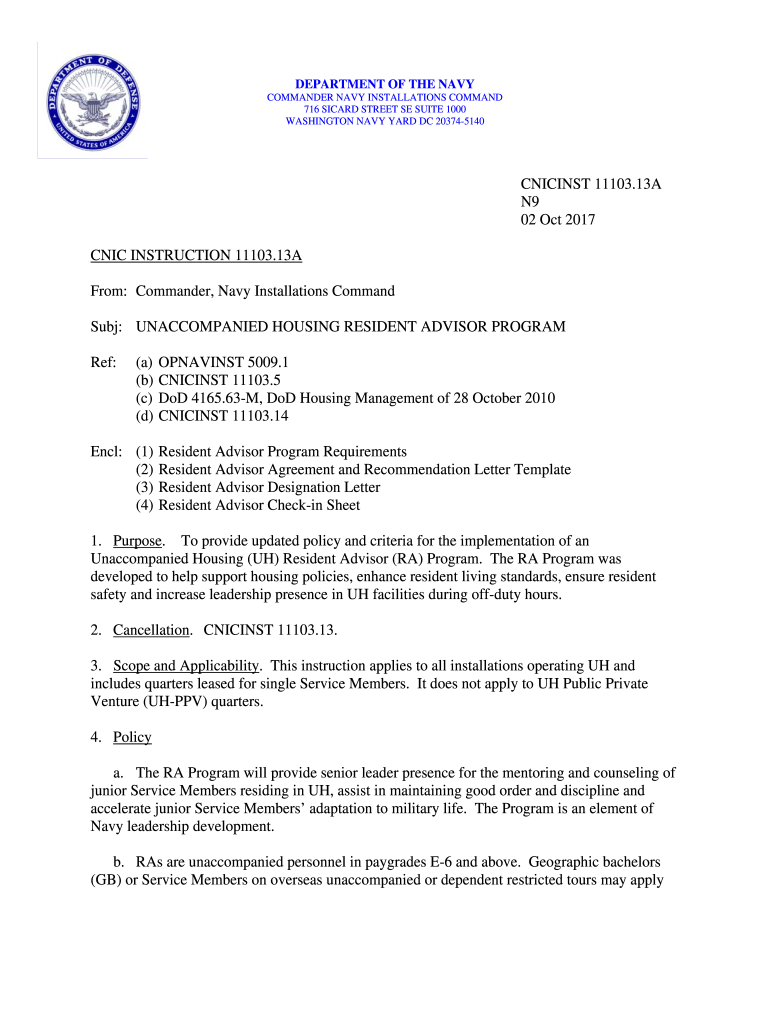
DEPARTMENT OF THE NAVY COMMANDER NAVY INSTALLATIONS COMMAND 716 SIC ARD STREET SE SUITE 1000 WASHINGTON NAVY YARD DC 203745140CNICINST 11103.13A N9 02 Oct 2017 CNIC INSTRUCTION 11103.13A From: Commander,.
Loading

Open form follow the instructions

Easily sign the form with your finger

Send filled & signed form or save
How to fill out the NAVY CNIC Instructions 11103.13A online
This guide provides clear and practical instructions for filling out the NAVY CNIC Instructions 11103.13A online. Following these steps will ensure that you complete the form accurately and efficiently, facilitating your participation in the Unaccompanied Housing Resident Advisor Program.
Follow the steps to successfully complete the form.
- Click the ‘Get Form’ button to access the NAVY CNIC Instructions 11103.13A form and open it in your online editor.
- Read through the entire form to understand its purposes and requirements. Make note of various sections that outline the responsibilities and eligibility criteria for Resident Advisors.
- Begin filling out your personal information, including your name, rank, and contact details. Ensure that your information is accurate and up-to-date.
- Carefully review the eligibility criteria and confirm that you meet the necessary requirements outlined in the form. This includes being an E-6 or above, or in some cases, exceptional E-4 or E-5 personnel.
- Complete the RA agreement section by indicating your willingness to serve and complying with the responsibilities defined. Sign and date the agreement.
- Prepare any additional documents required for the application package, such as your special request chit and a copy of your current orders, and append them to your submission.
- Submit your completed form along with the accompanying documents to the Unaccompanied Housing Assignment Review Board for review and approval.
- Keep a printed or downloaded copy of your completed form for your records. You may also want to save the form in your documents for future reference.
- If required, follow up with your commanding officer or the Unaccompanied Housing Manager to ensure that your application is being processed.
- Upon approval, ensure that you complete any training requirements indicated in the following enclosures and return the necessary check-in forms within the provided timeline.
Begin filing your NAVY CNIC Instructions 11103.13A online to join the Resident Advisor Program today!
Experience a faster way to fill out and sign forms on the web. Access the most extensive library of templates available.
Related content
CNIC ensures all installation requirements necessary to train and operate the Fleets...
CNIC ensures all installation requirements necessary to train and operate the Fleets...
CNIC ensures all installation requirements necessary to train and operate the Fleets...
Get answers to your most pressing questions about US Legal Forms API.
What is the CNIC in the Navy?
Commander, Navy Installations Command (CNIC), headquartered at the Washington Navy Yard in Washington, DC, is responsible for worldwide U.S. Navy shore installation management as the Navy's shore integrator, designing and developing integrated solutions for sustainment and development of Navy shore infrastructure.
When did CNIC stand up?
Established on October 1, 2003, Commander, Navy Installations Command (CNIC) is the Echelon II command under the Chief of Naval Operations responsible for Navy-wide shore installation management.
What does CNIC stand for?
Commander, Navy Installations Command (CNIC) is an Echelon II shore command responsible for all shore installations under the control of the United States Navy. As an Echelon II command, it reports directly to the Chief of Naval Operations.
What does CNIC stand for in the military?
Commander, Navy Installations Command (CNIC) is an Echelon II shore command responsible for all shore installations under the control of the United States Navy. As an Echelon II command, it reports directly to the Chief of Naval Operations.
Where can I find CNIC instructions?
CNIC HQ, regional, and installation instructions and forms can be obtained from the CNIC Portal (G2) with the use of a CAC (no account is required).
What is the chain of command in the Navy?
The U.S. Navy Chain of Command or C.o.C is an organizational hierarchy that shows how members of the unit or company report to one another. The naval chain of command is similar in structure to those in an office where an employee might report to a supervisor who then reports to a manager.
Use professional pre-built templates to fill in and sign documents online faster. Get access to thousands of forms.
If you believe that this page should be taken down, please follow our DMCA take down process here.