Loading
Get Butterfield Ret 030-10 2018-2026
How it works
-

Open form follow the instructions
-

Easily sign the form with your finger
-

Send filled & signed form or save
How to fill out the Butterfield RET 030-10 online
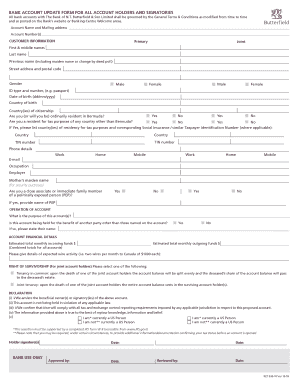
The Butterfield RET 030-10 is a vital document for updating bank account information at The Bank of N.T. Butterfield & Son Limited. This guide provides clear and detailed instructions to assist you in completing this form accurately and efficiently online.
Follow the steps to successfully complete the Butterfield RET 030-10 online.
- Press the ‘Get Form’ button to access the Butterfield RET 030-10 form and open it in your preferred editor.
- Begin by filling in the account name and mailing address, followed by the account number(s). Ensure that all details are accurate to avoid issues.
- In the customer information section, select whether you are a primary or joint account holder. Provide your full name, including any previous names, and your complete street address and postal code.
- Indicate your gender and fill in your ID type and number (e.g., passport), date of birth, country of birth, and country(ies) of citizenship.
- Answer the residency questions regarding ordinary residence in Bermuda and residency for tax purposes. If applicable, list the country/ies of tax residency and their corresponding Taxpayer Identification Numbers.
- Provide your phone details for work, home, and mobile, and include your email address, occupation, and employer information.
- For security purposes, enter your mother’s maiden name and indicate whether you are a close associate or family member of a politically exposed person. Provide the name of the PEP if applicable.
- In the operation of account section, describe the purpose of the account(s) and indicate if the account is being held for someone else. If so, provide their name.
- Fill out the account financial details, including estimated total monthly incoming and outgoing funds, along with expected wire activity.
- For joint account holders, select the type of survivorship arrangement you prefer: tenancy in common or joint tenancy.
- Read through the declaration statement carefully. Confirm that you are the beneficial owner or signatory of the account, and that the information provided is accurate.
- Sign the form in the designated areas provided for holder signatures.
- Once all fields are completed accurately, save changes to the document, and choose to download, print, or share the form as needed.
Complete your Butterfield RET 030-10 online today to ensure your account details are up to date.