Loading
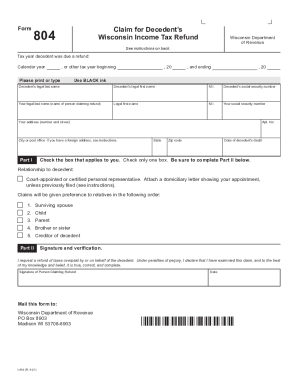
Get Wi Dor Form I-804 2021-2026
How it works
-

Open form follow the instructions
-

Easily sign the form with your finger
-

Send filled & signed form or save
How to fill out the WI DoR Form I-804 online
Filling out the Wisconsin Department of Revenue Form I-804 is an important step for claiming a refund on behalf of a decedent. This guide provides clear, step-by-step instructions to assist users in accurately completing the form online.
Follow the steps to fill out the WI DoR Form I-804 online.
- Click ‘Get Form’ button to download the form and open it in an editor.
- Indicate the tax year for which the decedent was due a refund by filling in the appropriate calendar year or other tax year dates in the specified fields.
- Complete the decedent's personal information, including their legal last name, first name, middle initial, and social security number.
- Input your own legal last name, first name, middle initial, social security number, and address. Ensure all information is accurate and clearly printed or typed.
- Enter the date of the decedent's death in the designated field.
- Select the appropriate relationship to the decedent by checking the corresponding box. Make sure to only check one box and provide relevant documentation if required.
- In Part II, sign and verify your claim for the refund. Ensure your signature is included and the date of submission is recorded accurately.
- Once all fields are completed and double-checked for accuracy, save your changes. You can then download, print, or share the completed form as needed.
Start filling out the WI DoR Form I-804 online today to claim your refund efficiently.
If your income is less than your standard deduction, you generally don't need to file a return (provided you don't have a type of income that requires you to file a return for other reasons, such as self-employment income).