Loading
Get Canada Sun Life 942-2755-bi 2017
How it works
-

Open form follow the instructions
-

Easily sign the form with your finger
-

Send filled & signed form or save
How to fill out the Canada Sun Life 942-2755-BI online
Filling out the Canada Sun Life 942-2755-BI form online can be a straightforward process when approached step by step. This guide aims to provide you with clear instructions to ensure that all relevant sections are completed accurately and efficiently.
Follow the steps to fill out the Canada Sun Life 942-2755-BI online.
- Click ‘Get Form’ button to obtain the form and open it in the editor.
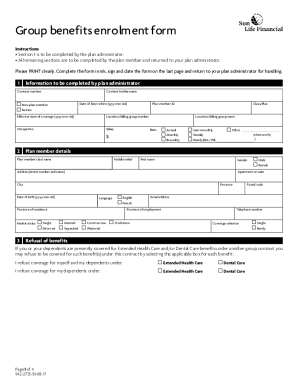
- Begin by completing Section 1, which is designated for the plan administrator. Enter the contract number, holder name, and date of hire or re-hire. If applicable, specify whether the form is for a new plan member or a re-hire, and include the effective date of coverage.
- In Section 2, plan members should provide their personal details including last name, middle initial, first name, gender, address, date of birth, and email address. Ensure that the postal code and province of residence are accurately filled out.
- For marital status, indicate whether you are single, married, in a common-law relationship, divorced, separated, or widowed. Be sure to provide a valid telephone number for contact purposes.
- Select your coverage option between single or family. If you are refusing any benefits for yourself or your dependents under the Extended Health Care or Dental Care plans, check the applicable boxes.
- In Section 4, if you would like direct deposit for your benefits payments, attach a voided cheque or appropriate banking document adhering to the instructions provided.
- Complete Sections 5 and 6 if applicable, providing spouse details and children's details. Ensure that all required information for dependents is filled out and accurately reflects coverage details.
- In Section 7, nominate beneficiaries by providing their full names, relationships, and desired percentage allocations. Remember to initial any changes.
- If needed, complete the contingent beneficiaries section to specify who will receive proceeds if there are no surviving primary beneficiaries.
- For minor beneficiaries, designate a trustee in accordance with legal requirements before completing Section 10.
- Finally, ensure that you sign and date the form at the bottom, declaring that all information provided is true and accurate. Save your changes, and prepare to submit the document to your plan administrator.
Start filling out your Canada Sun Life 942-2755-BI form online today for a seamless benefits enrollment experience.
Get form
Experience a faster way to fill out and sign forms on the web. Access the most extensive library of templates available.
Get This Form Now!
Use professional pre-built templates to fill in and sign documents online faster. Get access to thousands of forms.