Loading
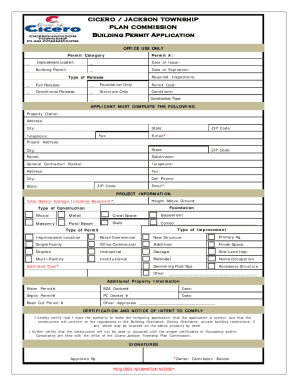
Get In Building Permit Application - Cicero/jackson Township 2017-2026
How it works
-

Open form follow the instructions
-

Easily sign the form with your finger
-

Send filled & signed form or save
How to fill out the IN Building Permit Application - Cicero/Jackson Township online
This guide provides clear and straightforward instructions for completing the IN Building Permit Application for Cicero and Jackson Township online. By following these steps, users can effectively navigate the application process, ensuring all necessary information is accurately provided.
Follow the steps to complete the application successfully.
- Press the ‘Get Form’ button to access the IN Building Permit Application and open it in your preferred document editor.
- In the ‘Applicant’ section, fill out the required details for the property owner, including their full mailing address, contact telephone number, and email address.
- Provide the project address, including the city, state, and parcel number for the property in question. If applicable, indicate if the property is part of a subdivision.
- Enter the information for the general contractor or builder, including their contact information, address, and email.
- Detail the project information such as the type of construction (e.g., single family, commercial), estimated cost, total square footage, and height above the ground.
- Complete the certification section, affirming that the information provided is accurate and that the construction will comply with all required regulations.
- Upon completing the form, review all entries for accuracy before saving your changes. You can also download, print, or share the completed application as needed.
Begin completing your building permit application online today!
All applications for building, plumbing, electrical and other construction permits must be completed online. Public work stations and staff are available in the lobby to help customers create their online accounts and applications on a first-come, first-served basis.