Loading
Get Ny Dos-0017-f 2012-2026
How it works
-

Open form follow the instructions
-

Easily sign the form with your finger
-

Send filled & signed form or save
How to fill out the NY DOS-0017-f online
This guide provides a clear and supportive overview of how to complete the NY DOS-0017-f form online. It aims to assist users in navigating each section of the form with confidence and clarity.
Follow the steps to complete the NY DOS-0017-f form online
- Click the ‘Get Form’ button to request the document and open it in your preferred editor.
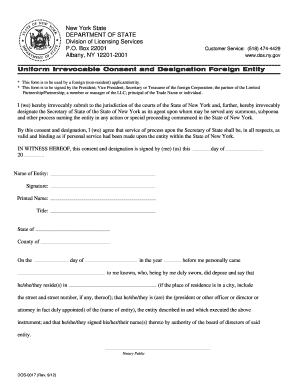
- In the first section, enter the name of the entity. This should be the official name of your organization as registered in its home jurisdiction.
- Next, provide the signature of an authorized individual. This must be a President, Vice President, Secretary, or Treasurer of the foreign corporation, among other roles.
- Below the signature, print the name of the authorized individual along with their title. This establishes who is responsible for the consent and designation.
- You must indicate the state and county where the consent and designation is being sworn. This is important for the legal validation of the document.
- Complete the notary section by entering the date and the name of the notary public who will witness the signing of the document.
- Finally, review all the information for accuracy and save your changes. You can then download, print, or share the completed form as necessary.
Complete your NY DOS-0017-f form online today for a smooth filing experience.
Related links form
University Of Florida College Of Public Health And Health Professions Application For Clinical 2019
1199SEIU Benefit Funds 90-Day Rx Solution Maintenance Drug Access Program Waiver Request Form 2019
NC Smart Start Verification Form For Self Employment Income & Expenses - Davidson County
AU APVDA Heavy Vehicle Pilot Licence Record Of Movement Form 2017
The exact name of the entity and its DOS ID number may be found by searching the name of the entity on the Department of State's Corporation & Business Entity Database.