Loading
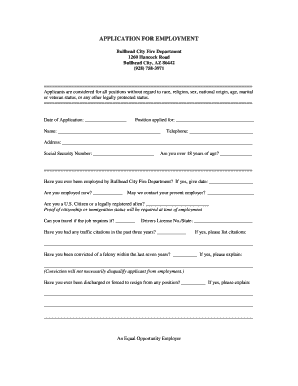
Get Az Plan Review Application - Bullhead City 2015-2026
How it works
-

Open form follow the instructions
-

Easily sign the form with your finger
-

Send filled & signed form or save
How to fill out the AZ Plan Review Application - Bullhead City online
Completing the AZ Plan Review Application online is a straightforward process that requires attention to detail. This guide provides step-by-step instructions to ensure you fill out the application accurately and efficiently.
Follow the steps to accurately complete the application.
- Click ‘Get Form’ button to obtain the form and open it in the editor.
- Fill in the date of application in the specified field. Ensure you use the current date.
- Indicate the position you are applying for by writing the title in the provided space. Be specific and clear.
- Enter your full name as required. Make sure it matches the identification you will provide later.
- Provide your telephone number. Ensure this is a number where you can be easily reached.
- Complete your address accurately. Include street number, street name, city, and zip code.
- Input your Social Security number in the designated field. This will be used for verification purposes.
- Answer whether you are over 18 years old by marking yes or no.
- Indicate whether you have previously been employed by the Bullhead City Fire Department and provide the date if applicable.
- State if you are currently employed. If so, answer whether the department may contact your present employer.
- Confirm your U.S. citizenship status or that you are a legally registered alien. Remember that proof is required during employment.
- Indicate whether you can travel as required by the job. Answer with yes or no.
- Enter your driver’s license number and state of issuance.
- Answer if you have had any traffic citations in the past three years, and if necessary, list the citations.
- Disclose any felony convictions within the last seven years and provide explanations if applicable.
- Indicate whether you have ever resigned or been discharged from a position, along with explanations if necessary.
- Proceed to the education section. Indicate if you graduated from high school and provide relevant details.
- List any college, university, trade, or technical schools attended, including degrees received.
- Describe any specialized training, apprenticeships, or certifications that you have attained.
- Detail any previous fire experience. Include the level of training and the name and address of the fire department, as well as the length of service.
- Summarize any relevant skills and experience related to the position you are applying for.
- List any computer software you are familiar with.
- Indicate fluency in other languages, and if applicable, provide details for each language.
- Begin filling out the employment experience section by starting with your most recent job. Include military service and volunteer activities.
- For each employer listed, provide the employer's name, telephone number, address, job title, supervisor's name, dates of employment, pay rates, work description, and reason for leaving.
- Upon completion, review the entire application for accuracy and completeness.
- Finally, save changes, download, print, or share the application as needed.
Complete your AZ Plan Review Application online today to ensure a smooth application process.
Where Do I Get My Permit? Locate Your Local Building Department Office. Construction permits are issued at your local Building Department. ... Complete The Permit Application. There are several ways to obtain a Building Permit Submittal Form. ... Provide the proper Construction Documents. ... Pay the Fees. ... Receive Your Permit.