Loading
Get Fl Statement - City Of Orlando 2003-2026
How it works
-

Open form follow the instructions
-

Easily sign the form with your finger
-

Send filled & signed form or save
How to fill out the FL Statement - City Of Orlando online
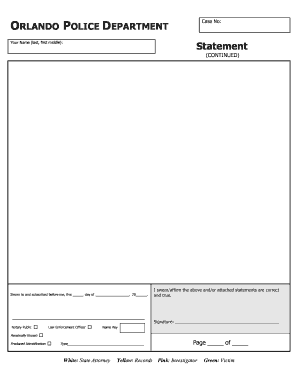
Filling out the FL Statement for the City of Orlando online can be a straightforward process when you know what to do. This guide provides clear instructions to help you navigate through each section of the form efficiently.
Follow the steps to fill out the FL Statement online.
- Click the ‘Get Form’ button to obtain the document and open it for completion.
- Begin by entering your name in the designated field, formatted as last name, first name, and middle name if applicable.
- Next, locate the section labeled 'Case No' and fill in the relevant case number associated with your statement.
- Proceed to the statement portion of the form, where you can provide detailed information about your account. Be honest and accurate in your responses.
- Once you complete the statement, navigate to the area where it says 'Sworn to and subscribed before me.' You will need to indicate the date when you are signing.
- Here, you must affirm and swear that the information you have provided is correct. Sign your name in the designated signature area.
- The form also requires a Notary Public's confirmation, so ensure you have this section completed by the relevant authority.
- Once all fields are filled out, you can save your changes, download the document for your records, print it, or share it as needed.
Complete the FL Statement online today to ensure your information is accurately submitted.
Church Street Station was developed in 1972 by entrepreneur Bob Snow. In 1985 it was the fourth-largest tourist attraction in the state after Walt Disney World, Sea World and Busch Gardens.