Loading
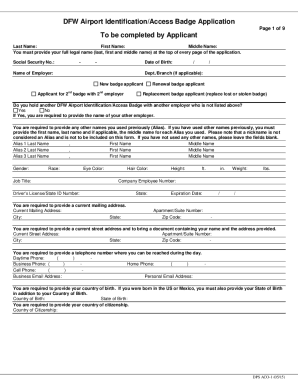
Get Tx Dfw Airport Dps Aco-1 2015-2026
How it works
-

Open form follow the instructions
-

Easily sign the form with your finger
-

Send filled & signed form or save
How to fill out the TX DFW Airport DPS ACO-1 online
The TX DFW Airport DPS ACO-1 form is essential for individuals seeking identification and access to secure areas within the Dallas/Fort Worth International Airport. This guide provides clear, step-by-step instructions on how to properly complete the form online, ensuring that all users can navigate the application process with confidence.
Follow the steps to fill out the TX DFW Airport DPS ACO-1 form.
- Click the ‘Get Form’ button to obtain the TX DFW Airport DPS ACO-1 form and access it in your editing interface.
- Provide your full legal name, including your last name, first name, and middle name, in the designated fields at the top of every page of the application.
- Enter your Social Security Number in the specified format, ensuring accuracy as this information is mandatory.
- Fill in your date of birth in the required format, and make sure to follow the instructions provided for all date entries throughout the form.
- Indicate your name of employer and department or branch, if applicable. You must identify if you are a new badge applicant, or indicating another relevant application type such as renewal or replacement.
- If applicable, answer yes or no to the question regarding holding another DFW Airport Identification/Access Badge; if yes, provide the name of the other employer.
- List any aliases you have previously used by filling in the respective fields with first, last, and middle names. Remember that nicknames should not be included.
- Complete the personal information section including gender, race, job title, eye color, hair color, height, and weight.
- Input your company employee number, driver’s license/state ID number, and provide your current mailing address, including the apartment/suite number, city, state, and zip code.
- Provide a current residential street address, ensuring you include relevant details as mentioned in the instructions.
- Fill in your daytime phone number along with business, home, and cell phone numbers as required.
- Indicate your country and state of birth. If you are a US citizen or born in Mexico, provide the corresponding state information.
- State your country of citizenship alongside any additional required identification information based on your citizenship status.
- Review the disqualifying criminal offenses listed and confirm if you have any, as this may affect your application.
- After completing the form, save your changes. You may then download, print, or share the completed document as necessary.
Complete your TX DFW Airport DPS ACO-1 application online today for efficient processing.
How much does an Airport Police Officer make in Dallas, Texas? As of Mar 16, 2023, the average annual pay for an Airport Police Officer in Dallas is $52,869 a year.