Loading
Get Au Sy003.1501 2015-2026
How it works
-

Open form follow the instructions
-

Easily sign the form with your finger
-

Send filled & signed form or save
How to fill out the AU SY003.1501 online
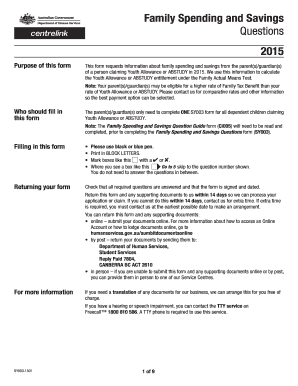
The AU SY003.1501 form, used for collecting information about family spending and savings, is essential for determining entitlement to Youth Allowance or ABSTUDY. This guide will provide clear, step-by-step instructions for completing the form online with ease.
Follow the steps to complete your AU SY003.1501 online.
- Press the 'Get Form' button to access the form and open it in your preferred online document management system.
- Begin by filling in the personal details section for the Youth Allowance or ABSTUDY customer. This includes entering their full name, date of birth, and Centrelink Reference Number if known.
- Next, provide the personal details of the parent(s) or guardian(s). You will need to indicate the relationship status and provide their names, dates of birth, addresses, and contact details.
- Fill in the financial sections, which include information about the family's principal home and any spending and savings for the specified financial years. Follow the prompts to provide totals for various spending categories such as living expenses, education, and investments.
- Make sure you answer questions regarding any loans, asset sales, or compensation payments that may have contributed to spending or savings.
- Complete the parent(s)/guardian(s) statement at the end of the form, ensuring all information is accurate and ready for submission.
- Once all fields are filled out, review the form for completeness, save any changes, and download, print, or share the completed document as required.
Complete your AU SY003.1501 form online today for efficient processing!