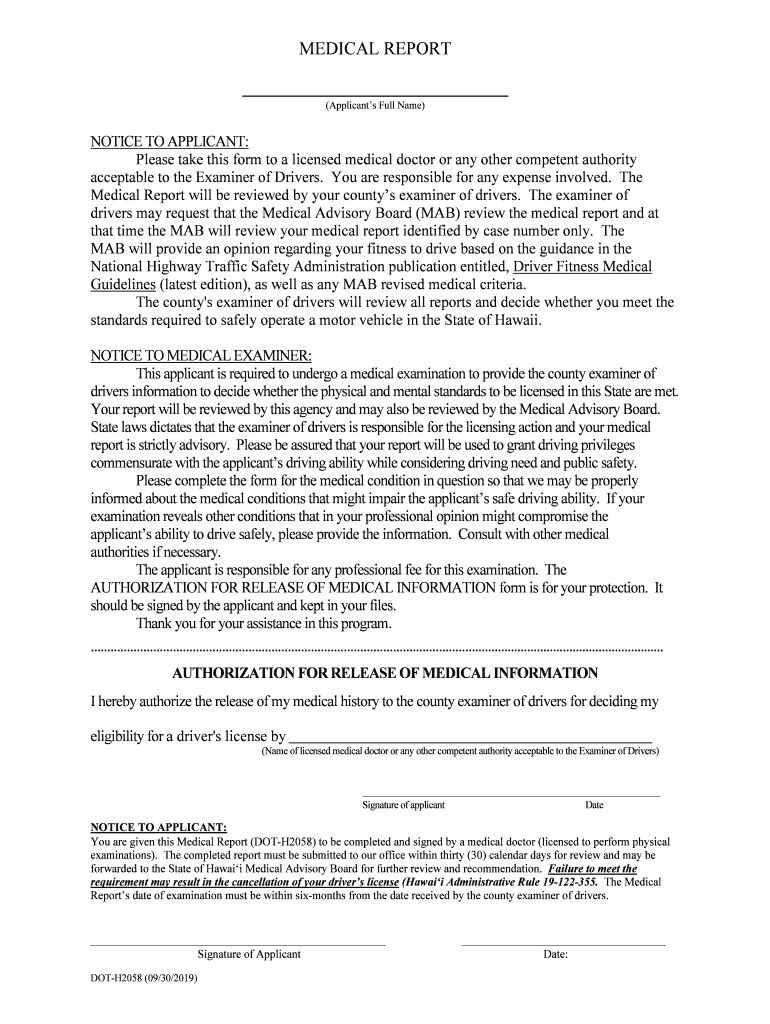
MEDICAL REPORT (Applicants Full Name)NOTICE TO APPLICANT: Please take this form to a licensed medical doctor or any other competent authority acceptable to the Examiner of Drivers. You are responsible.
Loading

Open form follow the instructions

Easily sign the form with your finger

Send filled & signed form or save
How to fill out the HI DoT DOT-H2058 online
Filling out the HI DoT DOT-H2058 medical report online can be a straightforward process when you have clear guidance. This form is essential for determining an individual's fitness to drive based on medical evaluations.
Follow the steps to successfully complete the form.
- Click ‘Get Form’ button to access the HI DoT DOT-H2058 document and open it for editing.
- Begin by entering the applicant's full name in the designated field at the top of the form, ensuring it is accurate and clearly stated.
- Input the driver's license number and telephone number for easy identification and contact purposes.
- Complete the section indicating how long the medical examiner has treated the applicant, along with the applicant’s age and sex.
- Provide the date of the last examination in the specified section, ensuring to include any applicable medical conditions that need addressing.
- Answer the series of questions regarding the applicant's medical history, including loss of consciousness, physical impairments, cognitive issues, and substance abuse, selecting ‘Yes’ or ‘No’ as appropriate.
- For any conditions indicated, include detailed descriptions that clarify how these may affect the applicant’s ability to drive safely.
- Complete the medication section with relevant details about any medications the applicant is currently prescribed, including dosages and schedules.
- Review the summary section where the medical examiner provides their opinion on whether the applicant is capable of safe driving and recommends appropriate licensing periods.
- Lastly, the licensed medical examiner must sign, date, and include their medical license number to validate the report before submitting it.
- Once everything is filled out, you can save changes, download, print, or share the form as needed for submission.
Complete the HI DoT DOT-H2058 online to ensure a smooth review process related to driving eligibility.
Experience a faster way to fill out and sign forms on the web. Access the most extensive library of templates available.
Related content
DOT-H2058 (05/2018). MEDICAL REPORT. (Applicant's Full Name). NOTICE TO APPLICANT: Please...
Management Agency and the Department of Transportation, assist Local Emergency...
Sep 27, 2014 — High-strength alloy steel chain is polished for smooth action and low...
Get answers to your most pressing questions about US Legal Forms API.
How do I contact the DMV on Oahu?
For more information, please call (808) 768-2542.
What is the number of Hawaii DMV?
If you renewed a driver's license more than 8 weeks ago and did not receive it, please call (808) 768-9100 for assistance.
How do I renew my Hawaii license?
Renewal of Class 2 & 3 Hawaii Drivers License Provide proof of Name. Provide proof of Date of Birth. Provide proof of Social Security Number. Provide proof of Legal Presence. Proof of Principal Residence. Complete a Driver License application for renewal that is available at any driver licensing office.
How do I contact Honolulu DMV?
Contact your county Motor Vehicle office for questions about your vehicle registration. City and County of Honolulu: (808) 768-4325. Hawaii County: East Hawai'i: (808) 961-8351. West Hawai'i: (808) 323-4818. Kauai County: (808) 241-4256. Maui County: (808) 270-7363.
Does Kapalama DMV accept walk ins?
The Kapalama, Kapolei, Koolau and Waianae Driver Licensing Centers are offering extended hours (Mon – Fri 7 a.m. – 5 p.m.) for renewal services. Appointments are recommended. Walk-in service is offered, but same-day service is not guaranteed.
Is Hawaii DMV allowing walk ins?
The Kapalama, Kapolei, Koolau and Waianae Driver Licensing Centers are offering extended hours for renewal services from Mondays through Fridays, 7 a.m. to 5 p.m. Appointments are recommended, however, walk-ins are also accepted.
Use professional pre-built templates to fill in and sign documents online faster. Get access to thousands of forms.
If you believe that this page should be taken down, please follow our DMCA take down process here.