Loading
Get Nz Af/fh/01 2019-2026
How it works
-

Open form follow the instructions
-

Easily sign the form with your finger
-

Send filled & signed form or save
How to fill out the NZ AF/FH/01 online
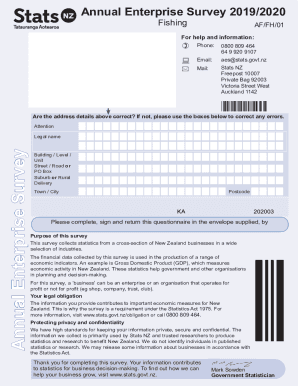
The NZ AF/FH/01 form is essential for the Annual Enterprise Survey, gathering crucial statistics about New Zealand businesses. This guide will walk you through each section of the form, ensuring you fill it out accurately and efficiently.
Follow the steps to complete the NZ AF/FH/01 accurately.
- Press the ‘Get Form’ button to access the NZ AF/FH/01 document and open it in your preferred editor.
- Verify that the address details provided are accurate. If any alterations are necessary, make corrections in the designated boxes.
- Fill out the legal name of your business in the specified field along with the building, street, suburb, town/city, and postcode.
- Indicate the balance date for your business by correctly entering the day and year. It's important to use financial data covering a period between 1 October 2019 and 30 September 2020.
- Answer whether your business has operated for a full financial year. If not, provide the starting date of your financial information.
- Complete each income and expenditure question with the requested data. Ensure to round figures to the nearest thousand dollars as instructed.
- If applicable, fill in information regarding interest received, dividends, and all other operating income. Be clear in describing significant differences compared to the previous year.
- Finish the form by providing details for all liabilities and asset positions, along with any comments at the end of the questionnaire where prompted.
- Review all entries for accuracy. After ensuring completeness, save your changes, and you can opt to download, print, or share the form as needed.
Complete your NZ AF/FH/01 form online today and contribute to important economic statistics.
The current New Zealand Flag has a deep blue background. In the top left corner, filling half the left side, is the Union Jack design showing red and white crosses on a blue background. The cross in the forefront is red on a white background.