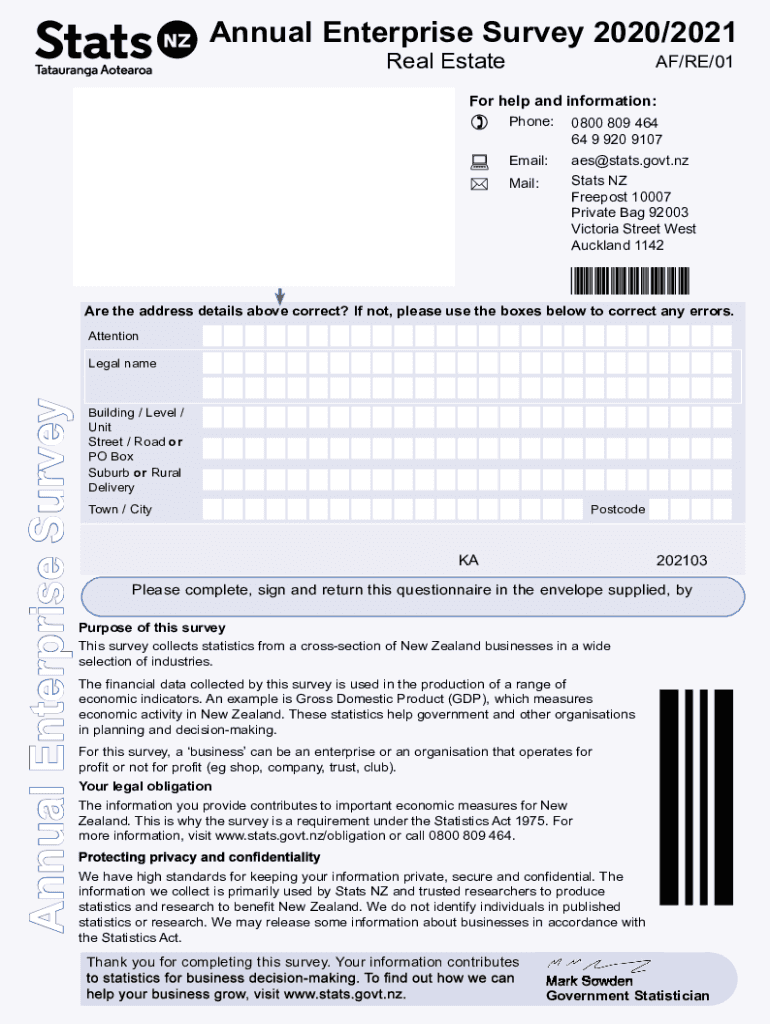
Page 1 Annual Enterprise Survey 2020/2021Real Estate AF/RE/01For help and information: Phone:0800 809 464 64 9 920 9107Email:aes stats.govt.email:Stats NZ Free post 10007 Private Bag 92003 Victoria.
Loading

Open form follow the instructions

Easily sign the form with your finger

Send filled & signed form or save
How to fill out the NZ AF/RE/01 online
The NZ AF/RE/01 form is an essential tool for collecting accurate financial information for the Annual Enterprise Survey. This guide provides straightforward, step-by-step instructions to assist you in filling out the form correctly and efficiently.
Follow the steps to fill out the NZ AF/RE/01 form online.
- Click the ‘Get Form’ button to access the NZ AF/RE/01 form and open it in your preferred web browser.
- Review the address details at the top of the form. If any information is incorrect, use the provided fields below to make the necessary corrections.
- Provide your business's legal name, including the building, street address, suburb, town or city, and postcode, ensuring all fields are completed accurately.
- Fill in the balance date information as requested. If your business operates on a different balance date, make sure to indicate this.
- Complete questions regarding the financial year, indicating whether the information covers a full 12-month period. Provide start and end dates where necessary.
- Record the income and expenditure amounts in respect to commission, interest, and other financial items by following the prompts and including any significant variations compared to previous years.
- For each expenditure question, specify the amounts according to the provided categories. Make sure to exclude GST where indicated.
- As you answer each section, remember to round numbers to the nearest thousand. Follow any special instructions regarding negative amounts or fields that do not apply.
- Once all sections are completed, review the entire form to ensure the information is accurate and coherent.
- Save your changes, and choose to download, print, or share the completed NZ AF/RE/01 form as required.
Start filling out the NZ AF/RE/01 form online today to contribute to vital economic statistics for New Zealand.
Experience a faster way to fill out and sign forms on the web. Access the most extensive library of templates available.
Related content
by PA Gladding · 2020 · Cited by 17 — Coronary artery disease (CAD) and atrial...
As shown in Figure 4, peer military organisations are spending longer training recruit...
The New Zealand Air Training Corps is one of the three corps in the New Zealand Cadet...
Get answers to your most pressing questions about US Legal Forms API.
What are the ranks in the NZ Air Force?
Commissioned officer ranks NavyArmyAir ForceVice admiral (VADM)Lieutenant general (LTGEN)Air marshal (AM)Rear admiral (RADM)Major general (MAJGEN)Air vice-marshal (AVM)Commodore (CDRE)Brigadier (BRIG)Air commodore (AIRCDRE)Captain (CAPT)Colonel (COL) (Chaplain Class I)Group captain (GPCAPT) (Chaplain Class I)7 more rows
Does NZ still have an Air Force?
We are the Royal New Zealand Air Force – Te Tauaarangi o Aotearoa. We provide New Zealand with responsive and effective air power to meet its national interests. We are an agile and adaptive Air Force with the versatility essential for New Zealand Defence Force operations.
Why did New Zealand get rid of fighter jets?
Why does the New Zealand Air Force have no fighter aircraft? The Air Defence of New Zealand now falls under the operational command of Australia and Singapore. Both countries provide fighters stationed in New Zealand so the RNZAF can focus on maritime patrol and transport functions.
What happened to the New Zealand Skyhawks?
After a lengthy period in storage at Woodbourne, the majority of the surviving Skyhawk fleet was sold to Draken International in 2012, with several being reserved for museum collections in New Zealand and Australia.
Is New Zealand getting new fighter jets?
The first of four new Air Force planes costing $2.3 billion has touched down in New Zealand. But the aging fleet of P3 Orions these are replacing are going out of service quicker than expected. The new Boeing P8-A Poseidon arrived a day ahead of a welcome ceremony at Ōhakea Air Force base in Manawatū yesterday.
What fighter jets does New Zealand use?
Boeing P-8A Poseidon.
What happened to NZ fighter jets?
The RNZAF's air combat capability ended in 2001, under the Fifth Labour Government with the disbanding of the A-4 Skyhawk and Aermacchi MB-339 equipped squadrons.
Use professional pre-built templates to fill in and sign documents online faster. Get access to thousands of forms.
If you believe that this page should be taken down, please follow our DMCA take down process here.