Loading
Get Au Form 151 2019-2026
How it works
-

Open form follow the instructions
-

Easily sign the form with your finger
-

Send filled & signed form or save
How to fill out the AU Form 151 online
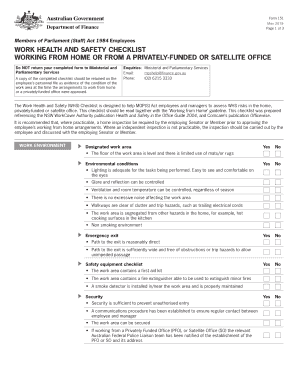
The AU Form 151 is a work health and safety checklist for employees working from home or from a privately-funded or satellite office. This guide aims to provide a clear and structured approach to filling out the form online, ensuring you understand each section and can complete it effectively.
Follow the steps to fill out the AU Form 151 online:
- Click the ‘Get Form’ button to acquire the form and open it in the designated online editor.
- Carefully read through the introductory information on the form to understand its purpose and the importance of the checklist.
- Begin filling out the 'Work Environment' section by assessing your designated work area. Indicate 'Yes' or 'No' for each condition described, such as flooring, lighting, ventilation, and noise levels.
- Move on to the 'Emergency Exit' portion. Ensure that the exit path is clearly identified and unobstructed. Record your observations.
- In the 'Safety Equipment Checklist', confirm the presence of essential safety items, such as a first aid kit and smoke detector, and mark them accordingly.
- Proceed to the 'Electrical' section. Evaluate electrical outlets and equipment for safety and functionality. Indicate your findings.
- Next, fill in the 'Workstation Setup' area. Assess your work surface, chair, keyboard, mouse, and monitor arrangements. Provide responses based on comfortable and safe ergonomic practices.
- In the 'Nature of Tasks' section, evaluate the physical demands of your tasks. Mark aspects such as posture and communication devices.
- Finally, complete the 'Other Factors' section, addressing any additional needs or arrangements with emergency contacts if applicable.
- Once all sections are completed, review the information for accuracy. You can then save changes, download, print, or share the form as required.
Start filling out your AU Form 151 online today to ensure a safe working environment.
Payments can be made prior to receiving a Notice of Intent/Final Bill for Taxes Due by using the Michigan Individual Income Tax e-Payments system. You can also submit any late or partial payments by check or money order to Michigan Department of Treasury, P.O. Box 30774, Lansing MI 48929.