Loading
Get Www.tdcj.texas.govdivisionshrtdcj Employee Performance Log
How it works
-

Open form follow the instructions
-

Easily sign the form with your finger
-

Send filled & signed form or save
How to fill out the TDCJ Employee Performance Log online
Filling out the TDCJ Employee Performance Log online is an important process for documenting employee performance effectively. This guide provides step-by-step instructions to ensure you can complete the form accurately and efficiently.
Follow the steps to complete the TDCJ Employee Performance Log
- Click ‘Get Form’ button to obtain the form and open it in the editor.
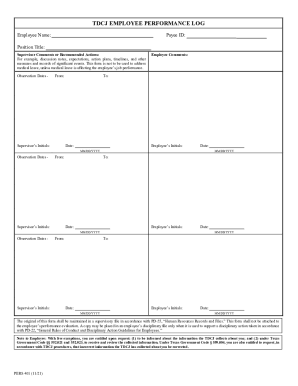
- Enter the employee name in the designated field to identify the individual being evaluated. Make sure to spell their name correctly.
- Input the payee ID in the appropriate section to associate the employee with their corresponding identifier.
- Fill in the position title of the employee, ensuring it accurately reflects their current role within the organization.
- In the supervisor comments or recommended actions section, provide relevant observations and feedback regarding the employee's performance. This may include discussion notes, expectations, action plans, timelines, and any significant events that require documentation.
- Record the observation dates by entering the start date and end date of the evaluation period. Use the MM/DD/YYYY format for consistency.
- Include the supervisor's initials to validate the observations made during the review period. This adds accountability to the evaluation process.
- Ask the employee to include their comments in the designated section. This allows for their input on the performance evaluation.
- Once all fields are completed, review the form for accuracy. Make any necessary adjustments before finalizing.
- At the end of the process, you can save changes, download, print, or share the completed form as needed.
Complete your documents online today for a streamlined performance evaluation process.
The Texas Department of Criminal Justice (TDCJ) manages inmates in state prisons, state jails, and private correctional facilities that contract with the TDCJ.