Loading
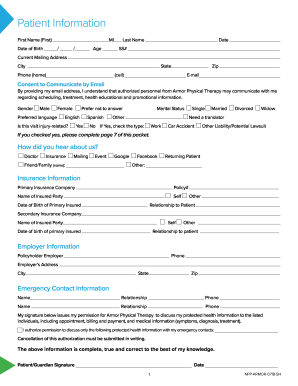
Get Armor Physical Therapy Patient Packet 2018-2026
How it works
-

Open form follow the instructions
-

Easily sign the form with your finger
-

Send filled & signed form or save
How to fill out the Armor Physical Therapy Patient Packet online
Completing the Armor Physical Therapy Patient Packet online is a straightforward process designed to gather essential information for your therapy. This guide will walk you through each step, ensuring your experience is seamless and efficient.
Follow the steps to complete your patient packet online.
- Click ‘Get Form’ button to access the patient packet and open it in your online editor.
- Begin with the patient information section. Enter your first name, last name, date of birth, and middle initial. Add your age and social security number where indicated.
- Indicate your gender and preferred language. Answer whether this visit is related to an injury and select your marital status. If applicable, note if you need a translator.
- For employer information, input your policyholder employer's name, contact number, and address.
- Sign the form to authorize the disclosure of your protected health information, ensuring that all information provided is accurate and true to the best of your knowledge.
- Finish this section by providing consent and acknowledgment for financial responsibility, as well as understanding the patient code of conduct.
Start filling out the Armor Physical Therapy Patient Packet online today.
Maintain contact with the patient Ask about adherence in a nonjudgmental manner and explore if any medication doses are missed. Acknowledge that medications can be expensive and have unwanted side effects. Make contact with patients who do not return for scheduled appointments.