Loading
Get Wi Dhs F-02188 2018-2026
How it works
-

Open form follow the instructions
-

Easily sign the form with your finger
-

Send filled & signed form or save
How to fill out the WI DHS F-02188 online
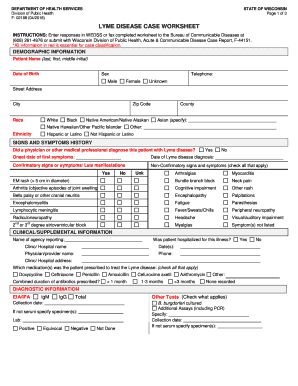
Filling out the WI DHS F-02188 Lyme Disease Case Worksheet online is an essential step in reporting Lyme disease cases accurately. This guide provides clear and supportive instructions to help you navigate the form effectively.
Follow the steps to complete the form with ease.
- Click the ‘Get Form’ button to access the worksheet and open it for editing.
- Begin with the demographic information section. Enter the patient's name, date of birth, sex, and contact telephone number. Provide the street address, city, and zip code, along with the patient's race and ethnicity selections.
- In the signs and symptoms history section, indicate whether a physician diagnosed the patient with Lyme disease. Enter the onset date of symptoms and the date of diagnosis.
- Proceed to the clinical/supplemental information section. Record the name of the reporting agency, hospitalization details, and medication prescribed for Lyme disease.
- Complete the diagnostic information by checking the applicable laboratory tests performed, including EIA/IFA and Western Blot.
- Finally, review the exposure history for any recent outdoor activities that may have led to tick exposure. Provide details on the geographical locations and type of exposure.
Complete your Lyme disease case reporting online today.
There is no evidence that Lyme disease is transmitted from person-to-person through touching, kissing, or having sex with a person who has Lyme disease. Untreated Lyme disease during pregnancy can lead to infection of the placenta. Spread from mother to fetus is possible, but rare.