Loading
Get Mo 886-2524 2008-2026
How it works
-

Open form follow the instructions
-

Easily sign the form with your finger
-

Send filled & signed form or save
How to fill out the MO 886-2524 online
The MO 886-2524 is an important document used for the declaration and assessment of assets for individuals applying for nursing care vendor benefits. This guide will provide clear and detailed instructions on how to complete the form online efficiently.
Follow the steps to successfully complete the MO 886-2524 online.
- Click ‘Get Form’ button to obtain the form and open it in the editor.
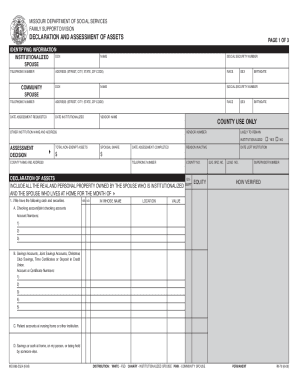
- Enter the identifying information, including the institutionalized spouse's name, telephone number, social security number, and address. Additionally, provide the community spouse's details and any relevant dates needed for assessment.
- In the declaration of assets section, indicate all real and personal property owned by both spouses for the relevant month. Start with cash and securities, listing checking and savings accounts, and provide account numbers as necessary. Mark whether the accounts are held in one or both names.
- Continue by detailing stocks, bonds, and any notes or mortgages owed to you. Be sure to list the company names, number of shares, and values.
- Next, describe personal property such as household furniture and vehicles. Include specifics like make, model, year, and current use of the vehicle. Make sure to list any real estate owned as well.
- Finally, review the declaration of assets to confirm all entries are accurate. Ensure signatures are added for both spouses and any witnesses where required, and include the necessary information about eligibility specialists.
- Save the completed form, and choose whether to download, print, or share the form as needed.
Complete the MO 886-2524 online to ensure your asset declaration is submitted accurately.