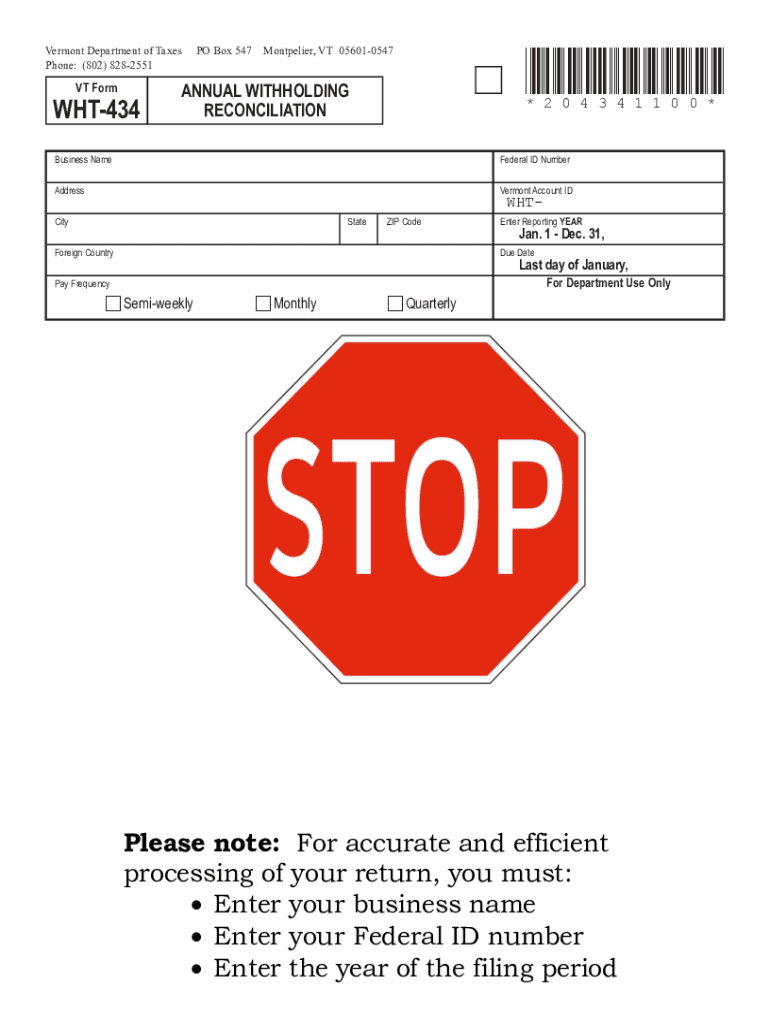
D Number Address Vermont Account ID City State ZIP Code Foreign Country WHT- Enter Reporting YEAR Jan. 1 - Dec. 31, Due Date Last day of January, For Department Use Only Pay Frequency c Semi-weekly c Monthly c Quarterly A. c Check here if your business has ceased and you would like your account closed. B. c Check here if you are reporting Third-Party Sick Pay. Cease date: / / C. Aggregate cost of applicable employer-sponsored health insur.
Loading

Open form follow the instructions

Easily sign the form with your finger

Send filled & signed form or save
How to fill out the VT WHT-434 online
Filling out the VT WHT-434 form is an essential process for businesses in Vermont to reconcile their annual withholding taxes. This guide will provide you with clear, step-by-step instructions to help you complete the form accurately and efficiently.
Follow the steps to complete the VT WHT-434 online.
- Click ‘Get Form’ button to access the form and open it in your preferred online editor.
- Enter your business name in the designated field to identify your entity clearly.
- Fill in your Federal ID Number to ensure proper identification by tax authorities.
- Provide the complete address of your business, including city, state, and ZIP code.
- If applicable, indicate your Vermont Account ID for tracking purposes.
- Select the reporting year by indicating 'Jan. 1 - Dec. 31' for the appropriate timeframe.
- Choose the correct pay frequency: Semi-weekly, Monthly, or Quarterly, by marking the relevant box.
- If your business has ceased operations, check the box to request account closure and specify the cease date.
- If reporting Third-Party Sick Pay, mark the appropriate box.
- Enter the aggregate cost of applicable employer-sponsored health insurance coverage in the designated space.
- Total the number of W-2s submitted to Vermont and enter this number in Part I, line 1.
- Report the total Vermont wages paid as per W-2s in Part I, line 2.
- Complete Part I, line 3, by entering the total Vermont tax withheld according to W-2s.
- In Part II, indicate the number of 1099s submitted to Vermont in line 4.
- Provide the total nonwage payments reported on 1099s in Part II, line 5.
- Fill in Part II, line 6, with the total Vermont tax withheld per 1099s.
- Calculate and enter the total Vermont tax withheld (Add Lines 3 and 6) in Part III, line 7.
- In the certification section, ensure the form is signed by an authorized person, along with their title and date.
- If applicable, indicate authorization for the Vermont Department of Taxes to discuss this return with your preparer.
- Review all entered information for accuracy, then save your changes, download, print, or share the completed form.
Start filling out your VT WHT-434 online today to ensure timely compliance with Vermont tax regulations.
Experience a faster way to fill out and sign forms on the web. Access the most extensive library of templates available.
Related content
Vermont Department of Taxes PO Box 547 Montpelier, VT 05601-0547. Phone: (802) 828-2551...
You've established a business as a sole proprietor in Vermont. Even better - you're...
434. 461. 493. 3500. 3750. 4000. ③ Contact Eaton for single inverter configuration. VT =...
Get answers to your most pressing questions about US Legal Forms API.
Are you exempt from Vermont withholding?
You may enter “Exempt” on Form W-4VT if you: had the right to a full refund of all your taxes withheld in the last tax year because you had no tax liability and. expect to have no tax liability again for this tax year.
What is the state of Vermont non resident withholding?
If the seller is a nonresident, the buyer must withhold and remit 2.5% of the total value paid or transferred for property to the Vermont Department of Taxes.
What is Vermont state withholding tax?
2023 Vermont State Payroll Taxes The 2023 tax rates range from 3.35% on the low end to 8.75% on the high end. Employees who make $204,001 or more will hit the highest tax bracket.
How much taxes are taken out of my paycheck in Vermont?
Yes, Vermont's personal income tax is a progressive tax system. The personal income tax rates in Vermont range from 3.55% to 9.4%. The Vermont salary calculator will show you how much income tax you will pay each paycheck.
What is the withholding tax in Vermont for non residents?
If the seller is a nonresident, the buyer is required to withhold 2.5% of the sale price and remit it to the Vermont Department of Taxes.
What does state of withholding mean?
State tax withholding refers to deductions that employers make from an employee's paycheck for state income taxes. Each state has its own tax rates and procedures, and there is little or no consistency from one state to another. Several states have no state income tax at all.
What is the 40 capital gain exclusion in Vermont?
The Flat Exclusion is the general exclusion amount allowed for a particular tax year or the actual amount of net adjusted capital gains, whichever is less. A Percentage Exclusion allows you to you exclude up to 40% of your adjusted net capital gain from the sale of assets held for more than three years.
Use professional pre-built templates to fill in and sign documents online faster. Get access to thousands of forms.
If you believe that this page should be taken down, please follow our DMCA take down process here.