Loading
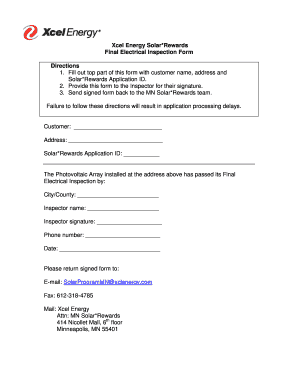
Get Xcel Energy Solar*rewards Final Electrical Inspection Form ...
How it works
-

Open form follow the instructions
-

Easily sign the form with your finger
-

Send filled & signed form or save
How to fill out the Xcel Energy Solar*Rewards Final Electrical Inspection Form online
Completing the Xcel Energy Solar*Rewards Final Electrical Inspection Form online is a straightforward process. This guide provides step-by-step instructions to help you navigate through the necessary fields and components of the form effectively.
Follow the steps to successfully complete the form.
- Press the ‘Get Form’ button to access the form and open it in your preferred editor.
- Begin by filling out the top section of the form. Enter the customer's name, address, and Solar*Rewards Application ID in the provided fields.
- After completing the initial fields, ensure that you provide this form to the designated Inspector for their signature.
- The Inspector should fill out their part of the form, which includes their name, signature, phone number, and the city or county where the inspection took place.
- Once the form is fully signed by the Inspector, return it to the MN Solar*Rewards team. You can send it via email, fax, or postal mail as specified in the instructions.
- Finally, after all information has been entered and checked, save your changes, and if necessary, download, print, or share the completed form as required.
Take the next step in your solar journey by completing the required documents online today.
Xcel is also fighting nearly 300 lawsuits filed by homeowners, businesses and local governments in Colorado that claim the company's equipment is to blame for the state's 2021 Marshall Fire in Boulder County. That fire caused an estimated $2 billion in property losses, Xcel has said in regulatory filings.