Loading
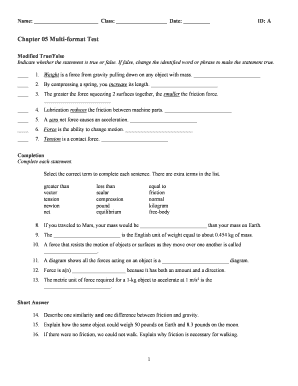
Get Modified Truefalse Chapter 05 Multi Format Test
How it works
-

Open form follow the instructions
-

Easily sign the form with your finger
-

Send filled & signed form or save
How to fill out the Modified Truefalse Chapter 05 Multi Format Test online
This guide provides users with clear and detailed instructions on completing the Modified Truefalse Chapter 05 Multi Format Test online. By following these steps, users can easily navigate the form and ensure accurate submissions.
Follow the steps to fill out the form correctly and efficiently.
- Press the ‘Get Form’ button to download the form and open it in your preferred online editor or platform.
- Begin by entering your name, class, and date in the designated fields at the top of the form.
- In the Modified True/False section, read each statement carefully. Indicate whether it is true by marking the corresponding box or false and provide the necessary correction for each false statement.
- Proceed to the Completion section, where you will select the appropriate term from the list to fill in the blanks.
- For the Short Answer section, type your responses to the questions in the provided space, ensuring your answers are clear and concise.
- Continue to the Problem section, carefully solving each problem and entering your solutions as directed.
- Once all sections are completed, review the form for accuracy and clarity.
- Finally, save your changes, download a copy for your records, print the form, or share it as needed.
Complete your Modified Truefalse Chapter 05 Multi Format Test online today!