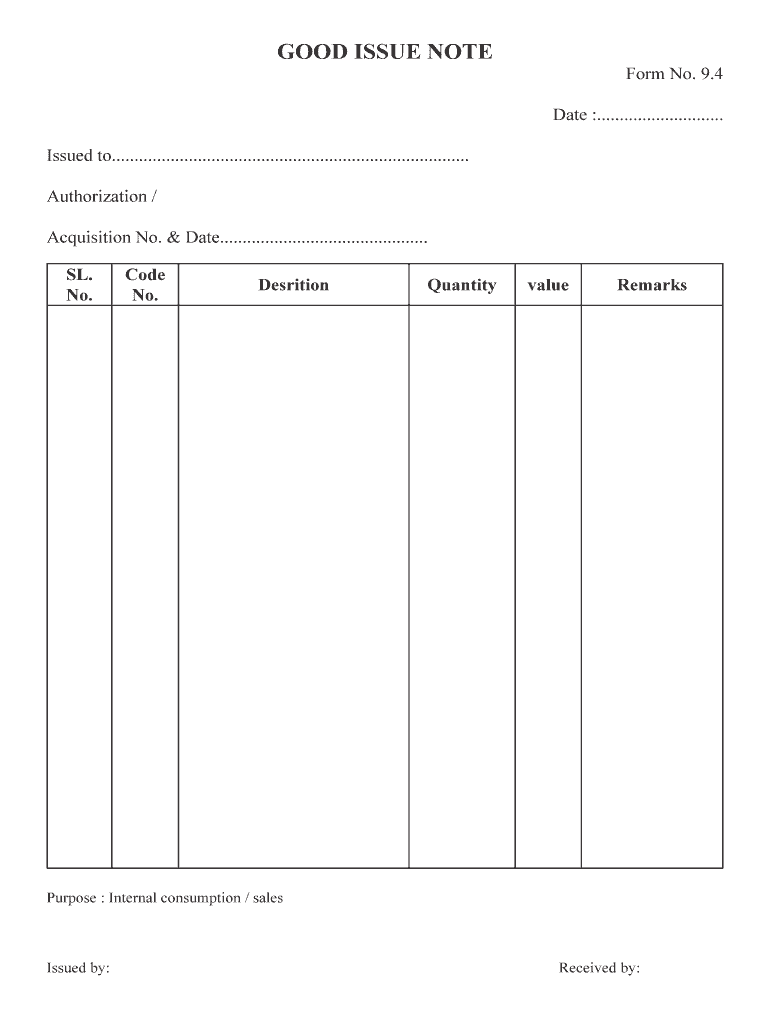
GOOD ISSUE NOTE Form No. 9.4 Date :............................ Issued to............................................................................... Authorization / Acquisition No. & Date.
Loading

Open form follow the instructions

Easily sign the form with your finger

Send filled & signed form or save
How to fill out the GOOD ISSUE NOTE online
Filling out the GOOD ISSUE NOTE accurately is crucial for maintaining effective inventory and tracking issuance of goods. This guide will walk you through each section of the form to ensure a smooth completion process.
Follow the steps to complete the GOOD ISSUE NOTE effectively.
- Click ‘Get Form’ button to obtain the form and open it for editing.
- Enter the date in the designated field marked 'Date'. This should reflect the actual date the goods are issued.
- Fill in the 'Issued to' section with the name of the person or department receiving the goods.
- Provide the 'Authorization/Acquisition No. & Date'. Include the relevant number and the corresponding date of authorization.
- In the next fields, you will input the 'SL. No.', 'Code No.', 'Description', 'Quantity', and 'Value'. Ensure all details are accurate and correspond to the goods being issued.
- Add any necessary remarks in the 'Remarks' section, if there are additional notes or considerations regarding the issuance.
- Specify the 'Purpose' as either 'Internal consumption' or 'Sales' based on the nature of the issuance.
- Sign and print your name in the 'Issued by' section to finalize the document.
- Have the recipient sign in the 'Received by' section to confirm acceptance of the goods.
- Once completed, save changes, download, print, or share the GOOD ISSUE NOTE as required.
Complete your GOOD ISSUE NOTE online to streamline your documentation process.
Experience a faster way to fill out and sign forms on the web. Access the most extensive library of templates available.
Related content
GOODS ISSUE FROM INVENTORY. Outbound material movement that leads to a reduction in stock...
What is an Issue Brief?1. An issue brief is a short summary, usually one to two pages, of...
Note: Issue forms are currently in beta for public repositories on GitHub.com only. With...
Get answers to your most pressing questions about US Legal Forms API.
What is the difference between good issue and goods receipt?
receipt is used to receive items into a warehouse. A goods issue is used to transfer goods out of a warehouse. And the inventory transfer is used to transfer items between warehouses.
What is date of issue on note?
Note Issue Date means the date on which the Notes are originally issued by the Company. Note Issue Date means the date on which this Note was issued, such date as is first referenced above. Note Issue Date means, for a Note, the issue date specified on the face of the Note Certificate for that Note.
What does document to issue mean?
Issuing Document means any indenture, trust agreement or other document pursuant to which any Parity Obligations or Subordinate Obligations are issued or incurred.
What is meant by goods issue?
A goods issue is the movement (removal) of goods or materials out of the warehouse. In short, it means the issuing of goods or materials from the warehouse to the production or manufacturing process unit. When goods are issued, it reduces the number of stock in the warehouse.
What is the difference between GR and GI in SAP?
Goods receipt (GR) and goods issue (GI) are based on an inbound or outbound delivery. You can identify the inbound and outbound deliveries for goods receipt and goods issue in different ways: By Delivery. By Handling Unit.
What do you understand by issuing from stock in the store?
Issuing stock means giving up a piece of your ownership in the business (also known as diluting your ownership), which also means sharing your profits, sharing decision making, and sharing in all future growth of the company.
What is an issue note?
Issue Note or Issuing Document means a document confirming the issue (release) of Goods from the warehouse in a format agreed by MailStep and the Client. No stock item of the Goods may be removed from stock without the Issue Note.
Use professional pre-built templates to fill in and sign documents online faster. Get access to thousands of forms.
If you believe that this page should be taken down, please follow our DMCA take down process here.