Loading
Get Ny Permitted Transfer Facility Annual Report 2014
How it works
-

Open form follow the instructions
-

Easily sign the form with your finger
-

Send filled & signed form or save
How to fill out the NY Permitted Transfer Facility Annual Report online
This guide provides step-by-step instructions for completing the NY Permitted Transfer Facility Annual Report online. Designed to assist users of all levels of legal experience, this guide ensures that you accurately fill out the required sections of the report.
Follow the steps to successfully complete your annual report.
- Use the 'Get Form' button to acquire the annual report and open it in your preferred editing tool.
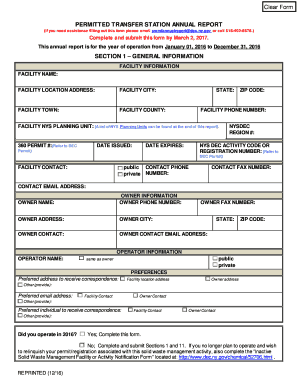
- Section 1 – General information. Start by entering the facility information, including the facility name, location, contact numbers, and various identifying numbers associated with your facility.
- Indicate the owner information in the specified fields, providing the name, address, and contact details of the owner.
- Next, fill out the operator information, ensuring to check if the operator is the same as the owner.
- In the preferences section, specify the contact preferences for correspondence, including any relevant selections for preferred addresses or individuals.
- Complete Section 2 by reporting the tonnages of solid waste received, specifying measurement methods and detailing each type of solid waste for the months stated.
- Transition to Section 3 by identifying the service area of received waste, detailing the origin and transportation method of each waste type.
- Fill in Section 4 regarding the transfer or disposal destinations for waste sent off-site, outlining the name and address of the facilities along with amounts disposed.
- Move to Section 5, documenting recyclable materials received, followed by the service area identification of these materials.
- Proceed to sections 6 through 11, addressing unauthorized waste, cost estimates, any problems encountered, changes from previous reports, and any additional reporting requirements.
- Conclude by signing and dating the report in Section 11, ensuring original signatures are present before submission.
- Save your changes, and prepare the document for download, printing, or sharing as necessary.
Complete your NY Permitted Transfer Facility Annual Report online to ensure compliance and timely submission.
Get form
Experience a faster way to fill out and sign forms on the web. Access the most extensive library of templates available.
Get This Form Now!
Use professional pre-built templates to fill in and sign documents online faster. Get access to thousands of forms.