Loading
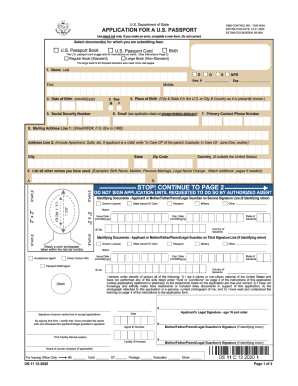
Get Application For A U.s. Passport - United States Department ...
How it works
-

Open form follow the instructions
-

Easily sign the form with your finger
-

Send filled & signed form or save
How to fill out the APPLICATION FOR A U.S. PASSPORT - United States Department online
Completing the Application for a U.S. Passport can be a straightforward process if you follow the correct steps. This guide provides a clear and supportive overview of how to fill out the application effectively online.
Follow the steps to complete your application with ease.
- Press the ‘Get Form’ button to access the application form and open it in your editor.
- Review the form carefully to familiarize yourself with its sections and requirements. Ensure you have all necessary information and supporting documents ready.
- Begin filling out your personal information in the designated fields, including your full name, date of birth, and mailing address. Double-check for accuracy.
- Indicate your citizenship status by providing evidence as required. If born in the U.S., include your birth certificate details; if born abroad, submit the appropriate documents mentioned.
- Ensure that you provide a valid phone number and email address for communication purposes. This information can help facilitate your application.
- Review all entered information for any errors or omissions. Correct any mistakes to avoid delays in processing.
- Finalize your application by saving any changes you've made. You may also choose to download or print the completed form for your records or further submission.
Start your application process online today and ensure you have all necessary paperwork ready for submission.
How to Apply Fill out or Download your Form. Cost of your Passport. How to Submit a Good Photo. Tips for your U.S. Citizenship Documents. Show us your Photo ID. Find Passport Service Locations.