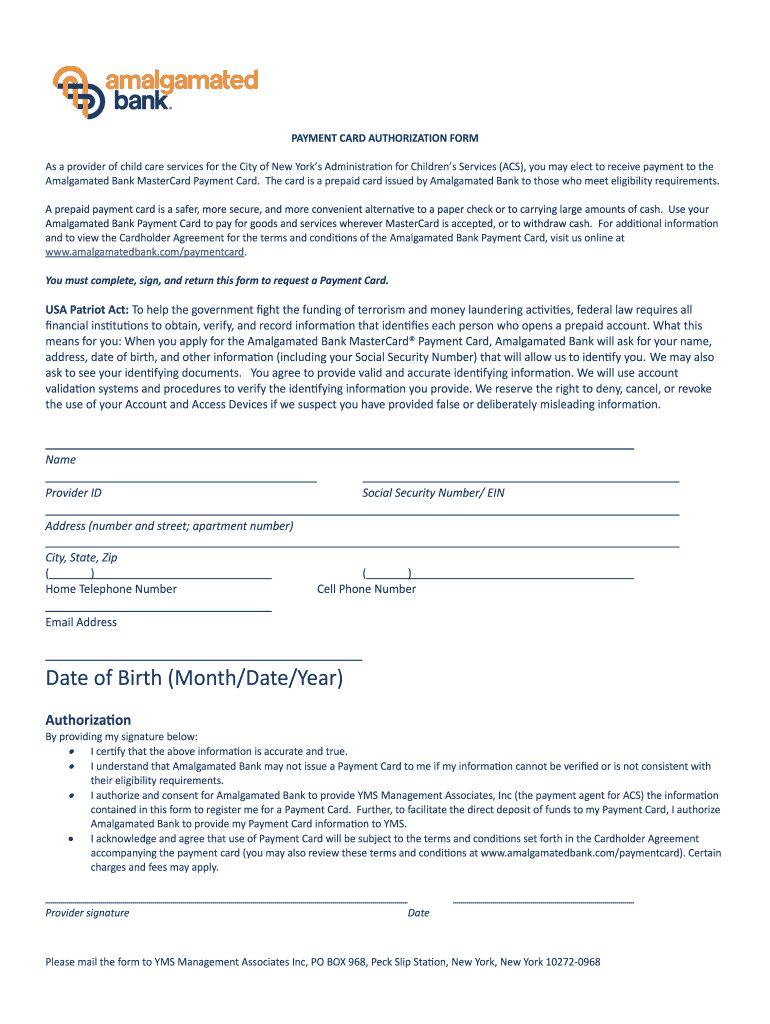
PAYMENT CARD AUTHORIZATION FORM As a provider of child care services for the City of New Yorks Administration for Childrens Services (ACS), you may elect to receive payment to the Amalgamated Bank.
Loading

Open form follow the instructions

Easily sign the form with your finger

Send filled & signed form or save
How to fill out the Amalgamated Bank Child Care online
Filling out the Amalgamated Bank Child Care form is an important step for providers seeking payment through the MasterCard Payment Card. This guide will take you through each section of the form to ensure a smooth and successful submission.
Follow the steps to complete the form accurately.
- Press the ‘Get Form’ button to obtain the form and access it in your preferred editor.
- Begin by entering your name and Provider ID in the designated fields. This information identifies you as a provider eligible for the payment card.
- Enter your Social Security Number or EIN, ensuring that the information is accurate and matches your identification documents.
- Fill in your address, including the number and street, apartment number if applicable, city, state, and zip code.
- Provide your home and cell phone numbers in the specified format, making sure to include the area codes.
- Input your email address, which will be necessary for correspondence about your Payment Card.
- Enter your date of birth in the format Month/Date/Year.
- Sign the authorization section to certify the accuracy of your information. This consent allows Amalgamated Bank to share your information with YMS Management Associates, Inc.
- Indicate the date of your signature.
- Finally, save your changes, download a copy for your records, and print the form. Mail the completed form to YMS Management Associates Inc, PO BOX 968, Peck Slip Station, New York, New York 10272-0968.
Complete your Amalgamated Bank Child Care form online today for a quick and secure process.
Experience a faster way to fill out and sign forms on the web. Access the most extensive library of templates available.
Related content
Mar 6, 2018 — This Savings Tracker platform allows families to view their children's NYC...
Important Subjects in the Collection: Amalgamated Clothing and Textile Workers Union...
UNITE HERE is a labor union in the United States and Canada with roughly 300,000 active...
Get answers to your most pressing questions about US Legal Forms API.
What is a mobile deposit restriction?
In order to limit a bank's liability if someone makes a mobile deposit in one bank and physically deposits or cashes the check in another bank, there are maximum mobile deposit amounts. The limits are generally from $1,000 to $2,000 per day and from $3,000 to $5,000 per month.
What is amalgamated bank debit limit?
Total daily spending limit of $3500/day STEP 4 You will receive a screen confirmation that your message has sent. A new debit card will be delivered in 7 to 10 business days. For any questions please call Amalgamated Support at 800-662-0860.
Can I mobile deposit more than my limit?
You can use mobile check deposit as many times as you'd like, but once the total amount of deposits has reached the daily or weekly limit, you'll need to deposit the additional items at a U.S. Bank branch.
Is amalgamated a good bank?
The Better Business Bureau rates companies based on responses to customer complaints, honesty in advertising, and transparency about business practices. Amalgamated Bank has an A+ rating from the BBB.
What is the maximum amount you can mobile deposit?
Mobile Deposit Limits - Online Banks Online bankMobile deposit limit(s)Ally Bank$50,000 per day or $250,000 in a 30-day periodBank of Internet$10,000 per day or $50,000 per 30-day periodTIAA Direct$30,000 per day or up to 6 checks per dayPayPal$5,000 per day or $10,000 per month1 more row • Feb 7, 2023
Does amalgamated bank use Zelle?
You can send, request, or receive money with Zelle®. To get started, log into Amalgamated Bank's mobile app and select “Send Money with Zelle®”.
What is amalgamated bank mobile deposit limit?
Yes. For consumers, Mobile Check Deposit is restricted to a daily deposit limit of $3,000 and a limit of $10,000 per 25-day cycle. For Treasury clients, Mobile Check Deposit is restricted to a daily deposit limit of $10,000 and a limit of $25,000 per 25-day cycle.
Use professional pre-built templates to fill in and sign documents online faster. Get access to thousands of forms.
If you believe that this page should be taken down, please follow our DMCA take down process here.