Loading
Get Memorandum Of Transfer Form
How it works
-

Open form follow the instructions
-

Easily sign the form with your finger
-

Send filled & signed form or save
How to fill out the Memorandum Of Transfer Form online
Completing the Memorandum Of Transfer Form online is a straightforward process that facilitates the change of ownership on a policy. This guide provides step-by-step instructions to ensure a smooth experience, tailored for users with various levels of experience.
Follow the steps to complete the Memorandum Of Transfer Form online.
- Click ‘Get Form’ button to obtain the form and open it in an online editor.
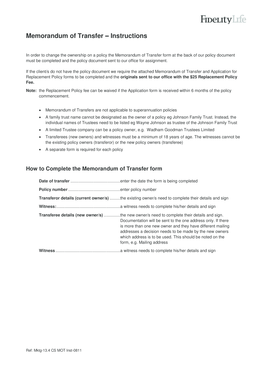
- Enter the date of transfer in the designated field, specifying the exact date the form is being completed.
- Fill in the policy number to identify the specific policy associated with the transfer.
- In the transferor details section, existing owners must complete their full names and provide their signatures. If there are multiple transferors, repeat this process for each individual.
- A witness must complete their details and provide their signature in the designated witness section, ensuring they are not an existing or new owner.
- For the transferee details, new owners must provide their full names, addresses, dates of birth, occupations, and signatures. Each individual must complete this section if there are multiple transferees.
- Ensure the mailing address is clearly noted if there are multiple new owners with different addresses, as only one address can be documented.
- A second witness must complete their details and provide their signature in the appropriate area.
- Finalize the form by saving any changes made. You may then download, print, or share the completed form as required, ensuring you also attach the original policy document.
Complete your documents online today for a seamless transfer process.
The Medical-Orthopedic Trauma Service (MOTS)