Loading
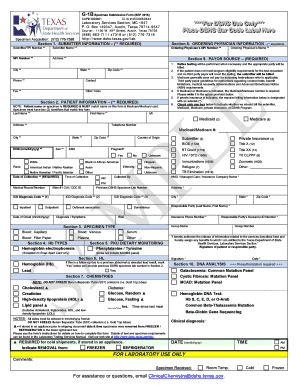
Get G-1b Form Sep 2016 Final - Sample.doc - Dshs Texas
How it works
-

Open form follow the instructions
-

Easily sign the form with your finger
-

Send filled & signed form or save
How to fill out the G-1B Form SEP 2016 FINAL - SAMPLE.doc - Dshs Texas online
Filling out the G-1B Form SEP 2016 FINAL requires careful attention to detail. This guide will help you complete the form effectively through clear instructions tailored for users at all experience levels.
Follow the steps to fill out the G-1B Form online.
- Press the ‘Get Form’ button to access the G-1B Form and open it in your preferred editor.
- In Section 1, enter the submitter information. This includes your submitter/TPI number, name, NPI number, and address. All fields marked with double asterisks (**) are required.
- Proceed to Section 2 and provide the patient information. Ensure that the patient's name on the specimen matches the name on this form. Fill in the last name, first name, middle initial, date of birth, and other required information.
- In Section 3, indicate the specimen type being submitted. You can select options based on the material type that corresponds to the test being requested.
- Complete Section 4 by marking the appropriate tests related to hemoglobin types. You should also note any specific dietary monitoring requirements in Section 5.
- In Section 8, provide the ordering physician's information including their NPI number and name, which is essential for billing processes.
- Move to Section 9 to specify the payor source. Mark the box corresponding to how the test costs will be billed (Medicaid, Medicare, private insurance, etc.). Ensure all required billing information has been correctly filled out.
- Complete any additional sections that apply, then review the entire form for accuracy. Optional fields can enhance your submission but ensure all required information is accurate to avoid rejection.
- After filling out the form, save your changes. You can download, print, or share the completed form as needed.
Complete your documents online today for efficient processing and submission.