Loading
Get Ca Dbo-qr 500.265 2017-2026
How it works
-

Open form follow the instructions
-

Easily sign the form with your finger
-

Send filled & signed form or save
How to fill out the CA DBO-QR 500.265 online
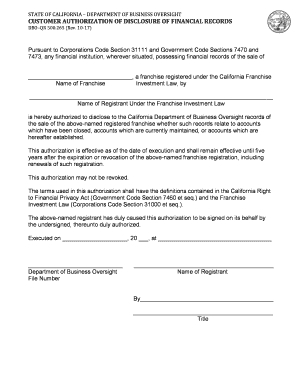
Filling out the CA DBO-QR 500.265 form online is an essential step in authorizing the disclosure of financial records related to registered franchises in California. This guide provides clear, step-by-step instructions to ensure you complete the form accurately and efficiently.
Follow the steps to complete the CA DBO-QR 500.265 online
- Press the ‘Get Form’ button to access the form and open it in your editing tool.
- Begin by entering the name of the franchise in the designated field on the form. Ensure the name matches the registration details to avoid any discrepancies.
- Next, input the name of the registrant under the Franchise Investment Law. This should be the official name associated with the franchise registration.
- Indicate the effective date of the authorization by filling in the date clearly and accurately. This date signifies when the authorization to disclose records begins.
- Complete the signature section by having the authorized representative of the registrant sign the form. Ensure that the title of the signatory is included for validation.
- After filling out all necessary fields, review the form for any errors or omissions. It's crucial to ensure all information is correct before finalizing.
- Once satisfied with the form, select the option to save your changes, and proceed to download, print, or share the form as needed.
Complete your documents online today to ensure timely and effective management of your franchise records.