Loading
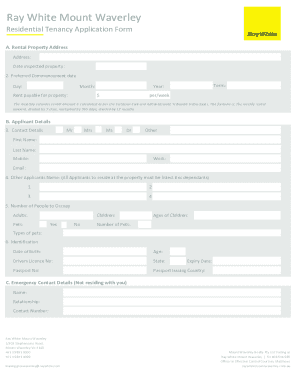
Get Tenancy Application - Ypa Estate Agents
How it works
-

Open form follow the instructions
-

Easily sign the form with your finger
-

Send filled & signed form or save
How to fill out the Tenancy Application - YPA Estate Agents online
Filling out the Tenancy Application - YPA Estate Agents online is an essential step in securing a rental property. This guide provides a comprehensive, step-by-step approach to ensure you complete the application thoroughly and accurately.
Follow the steps to complete your application online.
- Click the ‘Get Form’ button to obtain the Tenancy Application - YPA Estate Agents form and open it in your preferred online editor.
- Fill in the rental property address section by providing the complete address of the property you inspected, the date of inspection, and your preferred commencement date, along with the rent payable per week.
- In the applicant details section, select the appropriate title (e.g., Mr, Mrs, Ms, Dr, Other), then enter your first name, last name, and contact information including mobile, work number, and email.
- List all other applicants who will reside at the property, if applicable, ensuring each person's name is provided.
- Indicate the number of people occupying the property, including adults, children, and pets, along with their ages and types of pets.
- Enter your identification details, including date of birth, age, driver's license number, state of issue, passport number, issuing country, and expiry date.
- Provide emergency contact information, listing the name, relationship, and contact number of someone not residing with you.
- Complete the current landlord or agent details section, including your current address, how long you have lived there, and if you own or rent the property.
- If renting, provide your agent's name, contact number, rental amount, and whether your bond was returned in full.
- Complete the previous landlord or agent details section, including your rental history for the past two years, bond status, landlord's name, and reason for leaving.
- Fill out your current employment details, including employer name, occupation, work address, phone number, and annual net income.
- If self-employed, provide the necessary company details and indicate if you plan to operate the business from home.
- If applicable, list your previous employer's information, including occupation, employers' name, phone number, position, and employment period.
- If a student, complete the required details and attach a photocopy of your student card.
- Provide professional and personal references, including their names, relationships, and phone numbers.
- Review your application for accuracy and completeness, attach the required supporting documents to meet ID requirements, and ensure you have read and understood the privacy policy.
- Finally, submit your application. You may have the option to save your changes, download, print, or share the completed form as necessary.
Complete your tenancy application online today for a smoother rental process.
YPA is a well-established franchise network of 26 Offices servicing buyers and vendors of residential property in most of the key growth corridors of Melbourne and the Mornington Peninsula.