Loading
Get Caluniv Ucsta
How it works
-

Open form follow the instructions
-

Easily sign the form with your finger
-

Send filled & signed form or save
How to fill out the Caluniv Ucsta online
The Caluniv Ucsta is an essential online application form for candidates seeking admission to B.A. or B.Sc. courses at Calcutta University. This guide will provide you with step-by-step instructions on how to complete the form successfully.
Follow the steps to fill out the form accurately
- Click the ‘Get Form’ button to access the Caluniv Ucsta form and open it in your online editor.
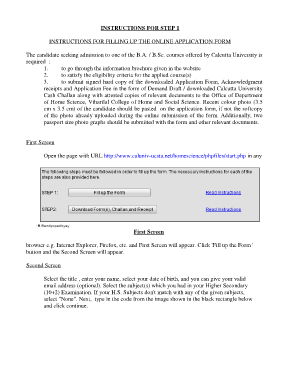
- On the first screen, you will need to select the 'Fill up the Form' button to proceed to the next screen.
- On the second screen, enter your title, name, and date of birth. You may also provide a valid email address (optional). Select the subjects from your Higher Secondary Examination, and if your subjects do not match, select 'None'. Enter the code displayed in the image and click 'Continue'.
- On the third screen, choose your preferred courses. Preference Number 1 should correspond to your first-choice course. You can only select from higher preference numbers if the prior ones are filled, ensuring you satisfy the eligibility criteria.
- If you would like to change your preferences, select the 'Back and choose courses again' option. Otherwise, click 'Continue'.
- In the seventh screen, your name and date of birth will auto-fill. Enter your present and permanent addresses, contact numbers, email, nationality, gender, marital status, blood group (if applicable), category, and other personal information as required.
- On the eighth screen, review your personal information. If everything appears correct, select 'Confirm and Continue'; otherwise, go back to edit.
- The ninth screen will require you to enter your 12th class academic information, including your board, year of passing, school/college name, roll number, division/grade, and percentage marks. Ensure to omit 'EVS' and check the marks of your selected subjects.
- On the tenth screen, preview your academic details carefully. If corrections are needed, return to edit; if all is accurate, confirm to proceed.
- In the eleventh screen, complete the payment details for the application fee. Choose your payment method, enter the details, and agree to the declaration to proceed.
- On the twelfth screen, note your unique applicant form number and password for future reference. Click 'Download your Form' to obtain all necessary documents.
- Finally, on the thirteenth screen, you can download the Challan, Acknowledgment Slip, and Application Form as needed.
Complete your Caluniv Ucsta application online today to secure your admission.
Related links form
University of Calcutta Rankings University of Calcutta is ranked #1376 in Best Global Universities. Schools are ranked ing to their performance across a set of widely accepted indicators of excellence. Read more about how we rank schools.
Industry-leading security and compliance
US Legal Forms protects your data by complying with industry-specific security standards.
-
In businnes since 199725+ years providing professional legal documents.
-
Accredited businessGuarantees that a business meets BBB accreditation standards in the US and Canada.
-
Secured by BraintreeValidated Level 1 PCI DSS compliant payment gateway that accepts most major credit and debit card brands from across the globe.