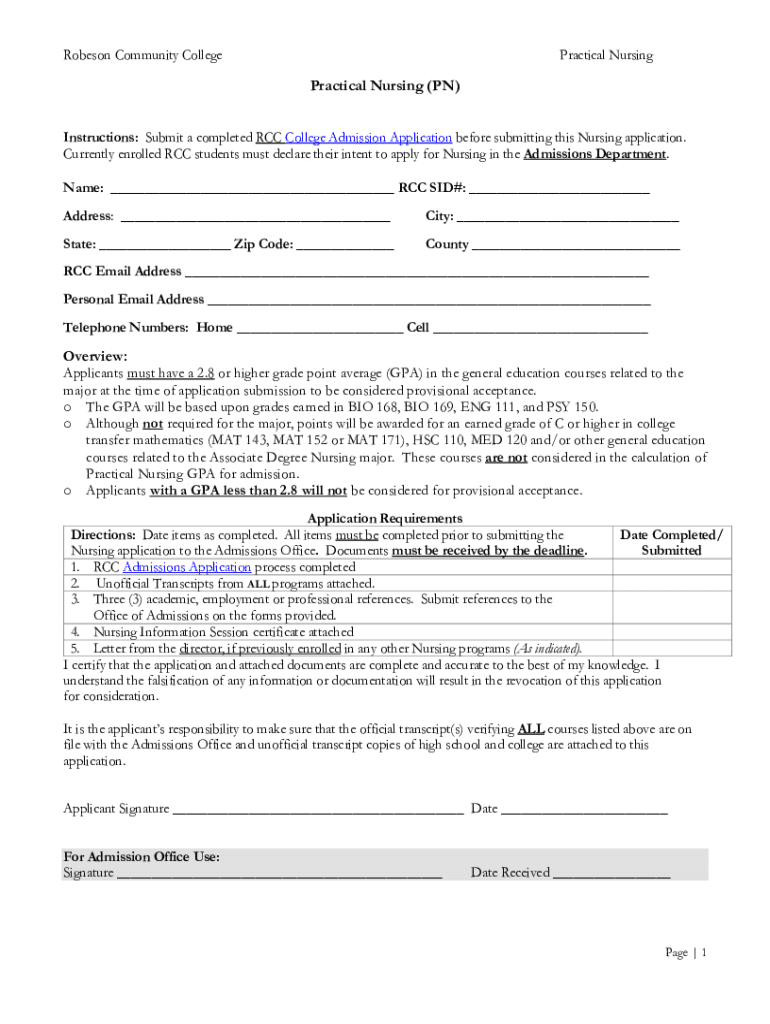
Robeson Community CollegePractical NursingPractical Nursing (PN) Instructions: Submit a completed RCC College Admission Application before submitting this Nursing application. Currently enrolled RCC.

Open form follow the instructions

Easily sign the form with your finger

Send filled & signed form or save
How to fill out the Robeson Community College Practical Nursing (PN) Application online
This guide provides a comprehensive, step-by-step overview of how to effectively complete the Robeson Community College Practical Nursing (PN) Application online. Whether you are a current student or a new applicant, following these detailed instructions will help ensure your application is submitted accurately.
Follow the steps to complete your application with ease.
- Click the ‘Get Form’ button to obtain the application form and open it in your editor.
- Begin filling out the personal information section. Input your full name, Robeson Community College Student Identification Number (RCC SID), address, city, state, zip code, and county. Additionally, provide both your RCC email address and personal email address, followed by your home and cell telephone numbers.
- Ensure the overview section meets the requirements. Verify that you possess a 2.8 or higher grade point average (GPA) in the relevant general education courses (BIO 168, BIO 169, ENG 111, PSY 150) at the time of your application submission.
- Complete the application requirements section by dating each item as you complete it. Confirm that you have finished the RCC Admissions Application process, attached your unofficial transcripts, secured three professional references, included your Nursing Information Session certificate, and obtained a letter from a director if previously enrolled in another Nursing program.
- In the academic/college performance section, identify the college courses you have completed. Record the course prefix, college name, grade, and semester/year completed for required general education and college science courses. Make sure to tally any points awarded based on your grades.
- Proceed to the test of essential academic skills (TEAS) section. Document your TEAS score and understand the associated points you receive based on your performance.
- Fill in the participation in program information session section by attaching your signed certificate of completion to your application.
- Submit the three professional references section, ensuring they are from appropriate academic or employment contacts, and include completed reference forms in sealed envelopes.
- Sign and date the application to certify that all provided information is complete and accurate. Remember that falsification of any information will result in application disqualification.
- Once all sections are completed, save any changes made to the form. You can then download, print, or share your completed application and supporting documents and ensure they are submitted to the Admissions Office by the specified deadline.
Start completing your Robeson Community College Practical Nursing application online today!
Experience a faster way to fill out and sign forms on the web. Access the most extensive library of templates available.
Related content
This application is for Single State Licensue by Examination. If you are looking to apply...
The Practical Nursing curriculum prepares individuals with the knowledge and skills to...
City. State. US. Zip. Code. 041792 ADVANCED COLLEGE OF COSMETOLOGY ... 042349 AMG SCHOOL...
Use professional pre-built templates to fill in and sign documents online faster. Get access to thousands of forms.
If you believe that this page should be taken down, please follow our DMCA take down process here.