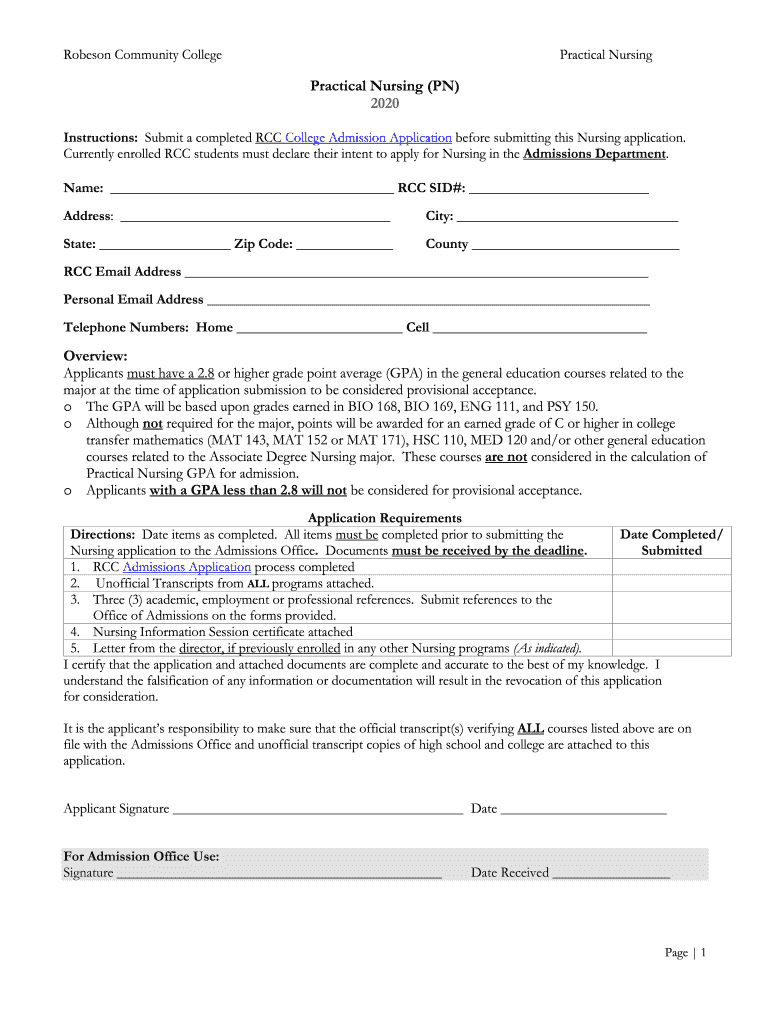
Robeson Community CollegePractical NursingPractical Nursing (PN) 2020 Instructions: Submit a completed RCC College Admission Application before submitting this Nursing application. Currently enrolled.

Open form follow the instructions

Easily sign the form with your finger

Send filled & signed form or save
How to fill out the Robeson Community College Practical Nursing (PN) Application online
Completing the Robeson Community College Practical Nursing Application online is a crucial step in your journey toward a rewarding nursing career. This guide provides you with clear instructions on how to navigate each section of the application to ensure your submission is complete and accurate.
Follow the steps to successfully complete your application.
- Click ‘Get Form’ button to access the application form and open it for editing.
- Fill out your personal information, including your name, RCC Student ID, address, city, state, zip code, county, and both your RCC and personal email addresses. Ensure all entries are accurate to avoid any delays in processing.
- Provide your telephone numbers, including home and cell, ensuring that these are current and you can be reached easily.
- Review the GPA requirement information and confirm that you meet the necessary criteria. Ensure your GPA is at least 2.8 in the relevant general education courses.
- Fill in the section regarding the application requirements. Document the completion date of each required item, such as the RCC Admission Application and the Nursing Information Session certificate.
- Identify and list the completed college courses in the required format. Include information such as course prefix, college name, grade received, and semester/year completed for each relevant course.
- Complete the references section by providing three academic, employment, or professional references as required. Ensure these references are submitted on the forms provided.
- Sign the application certifying that all information is complete and accurate. Record the date of your signature.
- Compile all required documents, including unofficial transcripts, references, and any necessary certifications, and make sure they are attached to your completed application.
- Finally, submit the completed application along with all required documentation to the RCC Admissions Office before the specified deadline. You may save, download, or print the application as needed for your records.
Complete your application online today to take the first step towards your nursing career!
Experience a faster way to fill out and sign forms on the web. Access the most extensive library of templates available.
Related content
This application is for Single State Licensue by Examination. If you are looking to apply...
The Practical Nursing curriculum prepares individuals with the knowledge and skills to...
City. State. US. Zip. Code. 041792 ADVANCED COLLEGE OF COSMETOLOGY ... 042349 AMG SCHOOL...
Use professional pre-built templates to fill in and sign documents online faster. Get access to thousands of forms.
If you believe that this page should be taken down, please follow our DMCA take down process here.
This form is available in several versions. Select the version you need from the drop-down list below.