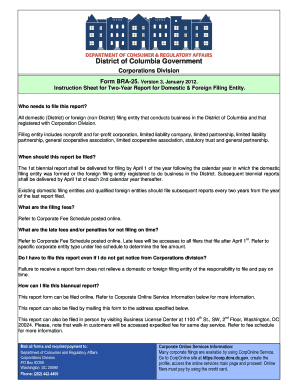
Get Dc Bra-25 2012
How it works
-

Open form follow the instructions
-

Easily sign the form with your finger
-

Send filled & signed form or save
How to fill out the DC BRA-25 online
Filling out the DC BRA-25 online is essential for domestic and foreign filing entities conducting business in the District of Columbia. This guide will provide you with comprehensive and step-by-step instructions to ensure that you complete the form accurately and efficiently.
Follow the steps to successfully complete the DC BRA-25 online
- Click ‘Get Form’ button to access and open the DC BRA-25 in the editor.
- Indicate your file number if known, along with the year and date of filing, and the corresponding filing fee in the respective fields.
- In Item 1, enter the name of your domestic or foreign filing entity as it is officially registered.
- For Item 2, specify the state or country under which your entity is organized.
- Fill in Item 3 with the principal address of your domestic or foreign filing entity.
- In Item 4, provide the name and address of your current registered agent as recorded with the Corporations Division. If there is any discrepancy, mention the new agent's name.
- For Item 5, write a brief statement describing the business affairs conducted in the District of Columbia. Be specific; avoid generic phrases like 'any lawful business.'
- Item 6 requires you to list all entity governors. Ensure that at least one governor's name is provided for business corporations, nonprofit corporations, professional corporations, general cooperative associations, or limited liability companies.
- If your entity is a qualified foreign entity, provide the necessary statement in Item 7 confirming good standing in its state of formation, or detail efforts being made to achieve good standing if applicable.
- Date and sign the report in Item 8. Indicate the name of the governor or authorized person executing the report.
- Finally, provide the signature of the governor or authorized person in Item 9 to complete the form.
- Review all the filled-out information for accuracy before submitting. Once confirmed, proceed to save your changes, download, print, or share the completed form as needed.
Ensure your filing is accurate and timely by completing the DC BRA-25 online today!
Get form
You can file DC 25 at designated offices specified by local authorities or online through various official platforms. Many users find it convenient to use services like uslegalforms, which provide guidance to ensure proper submission. Finding the correct filing location is crucial to avoid delays in processing. Make sure to check the latest submission guidelines to streamline your experience.